
Key facts
Start here
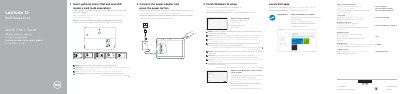
Dell Latitude 5285 2-in-1 (Latitude 12 5000 Series) Quick Start Guide
This quick start guide is for the Dell Latitude 5285 2-in-1 (Latitude 12 5000 Series). It shows how to connect power, insert optional micro-SIM and microSD cards, complete Windows 10 setup, connect to a network, sign in, locate Dell apps, and check for updates.
It also lists product features and support, regulatory, and safety information, including regulatory model T17G, regulatory type T17G001, and computer model Latitude 5285 2-in-1.
Dell Latitude 5285 2-in-1 specifications
| Processor | 7th generation Intel processors |
|---|---|
| Memory capacity | 4 GB, 8 GB, and 16 GB (integrated) |
| Memory type | LPDDR3 at 2133 MHz |
| Graphics | Integrated Intel HD 620 |
| Display | 12.3-inch 3:2 touchscreen |
| Display resolution | 1920 x 1280 |
| AC adapter | USB Type-C 45 W, compact 46 W, and 65 W |
| Battery | 31.5 Wh and 42 Wh polymer batteries |
| Tablet weight | 1.89 lb (856 g) |
| Tablet plus keyboard weight | 2.64 lb (1.196 kg) |
| Front camera | 5 MP, fixed focus |
| Rear camera | 8 MP, autofocus |
All Dell Latitude 5285 2-in-1 documents by type
The shortest path to a working setup, usually only a few pages.
- Dell Latitude 5285 2-in-1 (Latitude 12 5000 Series) Quick Start Guide 2 p
- Dell Latitude 12 5000 Series 5285 2-in-1 Quick Start Guide 2 p
- Dell Latitude 12 5000 Series 2-in-1 Quick Start Guide 2 p
- Dell Latitude 12 5000 Series 2-in-1 Quick Start Guide 2 p
- Dell Latitude 12 5000 Series 2-in-1 Quick Start Guide 2 p
- Dell Latitude 12 5000 Series 2-in-1 Quick Start Guide 2 p
- Latitude 12 5000 Series 2-in-1 Quick Start Guide 2 p
- Dell Latitude 12 5000 Series 2-in-1 Quick Start Guide 2 p
- Dell Latitude 12 5000 Series 2-in-1 Quick Start Guide 2 p
Disassembly, diagnostics and part numbers, for repair.
Day-to-day operation, settings and troubleshooting. Start here if the product is already set up.
Questions answered in these manuals
How do I connect to a secured wireless network?
Enter the password for the wireless network access when prompted.
From: Dell Latitude 5285 2-in-1 (Latitude 12 5000 Series) Quick Start Guide
What should I do if a microSD card is not inserted correctly?
Make sure the card is correctly aligned and is inserted all the way.
From: Dell Latitude 5285 2-in-1 (Latitude 12 5000 Series) Quick Start Guide
What processor generation does the Dell Latitude 5285 2-in-1 use?
It uses 7th generation Intel processors.
What memory capacities are available?
Memory is available in 4 GB, 8 GB, and 16 GB integrated configurations.
How can I run ePSA diagnostics without an external keyboard?
Turn on the system, press Volume Up before the Dell logo appears to open the Boot Menu, then select Diagnostics with Volume Down.
What does the amber/white blinking battery LED indicate?
The tablet uses the amber/white blinking pattern of the battery LED to determine the faults listed in the table.