
Key facts
Start here
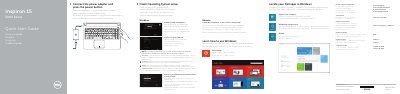
Dell Inspiron 15-5558 Laptop Quick Start Guide
This quick start guide covers initial setup of the Dell Inspiron 15-5558 laptop, including connecting the power adapter, finishing operating system setup, connecting to a network, and signing in. It also points to Dell support, manuals, and regulatory information.
The guide identifies laptop features such as ports, camera, microphones, battery, and optical drive, and lists shortcut keys for audio, volume, brightness, wireless, sleep, and display functions.
Dell Inspiron 15-5558 specifications
| USB 3.0 port | 1 |
|---|---|
| USB 2.0 ports | 2 |
| Left microphone | Inspiron 15-5558 only |
| Network port | Inspiron 15-5558 only |
All Dell Inspiron 15-5558 documents by type
Day-to-day operation, settings and troubleshooting. Start here if the product is already set up.
The shortest path to a working setup, usually only a few pages.
- Dell Inspiron 15-5558 Laptop Quick Start Guide 2 p
- Dell Inspiron 15-5558 Laptop Quick Start Guide 2 p
- Dell Inspiron 15-5558 Laptop Quick Start Guide 2 p
- Dell Inspiron 15-5558 and 15-5551 Notebook Quick Start Guide 2 p
- Dell Inspiron 15-5558 Laptop Quick Start Guide 2 p
- Dell Inspiron 15 5000 Series Quick Start Guide 2 p
- Dell Inspiron 15-5558 Quick Start Guide 2 p
- Dell Inspiron 15-5558 Quick Start Guide 2 p
- Dell Inspiron 15-5558 and 15-5551 Notebook Quick Start Guide 2 p
- Dell Inspiron 15-5558 Notebook Quick Start Guide 2 p
- Dell Inspiron 15-5558 and Inspiron 15-5551 Notebook Quick Start Guide 1 p
- Dell Inspiron 15-5558 Quick Start Guide 2 p
- Dell Inspiron 15-5558 Laptop Quick Start Guide 2 p
- Dell Inspiron 15-5558 and Inspiron 15-5551 Laptop Quick Start Guide 2 p
- Dell Inspiron 15-5558 and Inspiron 15-5551 Notebook Quick Start Guide 2 p
- Dell Inspiron 15-5558 and 15-5551 Notebook Quick Start Guide 2 p
Disassembly, diagnostics and part numbers, for repair.
Questions answered in these manuals
Which Inspiron 15 5000 Series computer models are listed in this guide?
Inspiron 15-5551, Inspiron 15-5552, Inspiron 15-5555, and Inspiron 15-5558.
Which models have a left microphone?
Inspiron 15-5558 and Inspiron 15-5555 only.
How do I finish operating system setup?
Follow the instructions on the screen to finish setup.
Which Inspiron 15 models have a network port?
The network port is available on the Inspiron 15-5558 only.
Where can I find more specifications?
You can find more information by visiting dell.com/support.
Which specific models are covered by this quick start guide?
This guide covers the Dell Inspiron 15-5558 and the Dell Inspiron 15-5551.