
Key facts
Start here
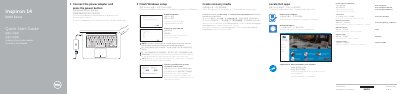
Dell Inspiron 14 5000 Series (Inspiron 14-5457) Quick Start Guide
This quick start guide is for the Dell Inspiron 14 5000 Series laptop, model Inspiron 14-5457. It presents initial setup steps such as connecting power, finishing Windows setup, enabling Dell updates, connecting to a network, signing in, locating Dell apps, and creating recovery media.
It also identifies the laptop's external features and ports, lists shortcut keys, and provides links for product support, manuals, contacting Dell, and regulatory information.
Dell Inspiron 14 5000 specifications
| Equipment model | Inspiron 5442 |
|---|---|
| Regulatory model | P49G |
| Regulatory type | P49G001 |
Source: Dell Inspiron 14 5000 Series (Inspiron 5442) Computer Owner's Manual
All Dell Inspiron 14 5000 documents by type
Disassembly, diagnostics and part numbers, for repair.
- Dell Inspiron 14 5000 Service Manual 80 p
- Dell Inspiron 14 5000 Service Manual 78 p
- Dell Inspiron 14 5000 Laptop Service Manual 79 p
- Dell Inspiron 14 5000 Series (Inspiron 14-5455) Service Manual 101 p
- Dell Inspiron 14 5000 Series Service Manual 106 p
- Dell Inspiron 14 5000 Series (Inspiron 5442) Computer Owner's Manual 82 p
- Dell Inspiron 14 5000 Series Computer Service Manual 79 p
- Inspiron 14 5000 Series 100 p
- Dell Inspiron 14 5000 Series Inspiron 14-5457 Laptop User Manual 101 p
- Dell Inspiron 14 5000 Series (Inspiron 14-5442) Laptop Service Manual 77 p
- Dell Inspiron 14 5000 Service Manual 104 p
- Dell Inspiron 14 5000 Series Service Manual 107 p
- Dell Inspiron 14 5000 Series (Inspiron 5448) Laptop Service Manual 85 p
- Dell Inspiron 14 5000 Series Service Manual 97 p
- Dell Inspiron 14 5000 Series Owner's Manual 104 p
- Dell Inspiron 14 5000 Series Service Manual 107 p
- Dell Inspiron 14 5000 Series 5458 Laptop Service Manual 107 p
- Dell Inspiron 14 5000 Series Service Manual 101 p
- Dell Inspiron 14 5000 Service Manual 115 p
- Dell Inspiron 14 5000 Series (Inspiron 14-5459) Service Manual 99 p
- Dell Inspiron 14 5000 P64G004 Service Manual 84 p
- Dell Inspiron 14 5000 Series Service Manual 101 p
- Dell Inspiron 14 5000 Series Service Manual 98 p
- Dell Inspiron 14 5000 Series Laptop Disassembly Manual 77 p
- Dell Inspiron 14 5000 Series (Inspiron 14-5443) Computer Service Manual 80 p
- Dell Inspiron 14 5000 Series Service Manual 108 p
- Dell Inspiron 14 5000 Series Service Manual 86 p
- Inspiron 14 5000 Series Notebook Owner's Manual 82 p
- Dell Inspiron 14 5000 Series (Inspiron 14-5457) Notebook Owner's Manual 105 p
- Dell Inspiron 14 5000 Series 14-5458 Laptop Service Manual 106 p
Day-to-day operation, settings and troubleshooting. Start here if the product is already set up.
The shortest path to a working setup, usually only a few pages.
Questions answered in these manuals
What tools may be needed to service the computer?
The manual lists a Phillips screwdriver and a plastic scribe.
How do I shut down a Windows 10 computer before service?
Click or tap Start > Power > Shut down.
What should I do before working inside the computer?
Save and close all open files, exit applications, shut down the computer, disconnect power and cables, remove media, and close the display.
What tools are recommended for the procedures?
The recommended tools are a Torx screwdriver and a plastic scribe.
What should I do before working inside the computer?
Save and close all open files, shut down the computer, disconnect power and cables, remove media, close the display, and turn the computer over.
What tools may be needed for the procedures?
The procedures may require a Phillips screwdriver and a plastic scribe.