
Key facts
Start here
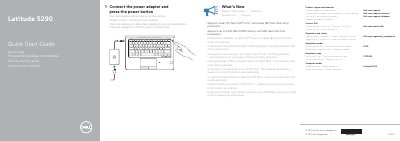
Dell Latitude 5290 Quick Start Guide
This guide helps you power on and set up your Dell Latitude 5290 laptop. Connect the power adapter and press the power button to start. It includes details on supported processors and memory, as well as a diagram of ports and features like USB, HDMI, and fingerprint reader. The guide also provides regulatory and safety information and contact details for support.
Read onlineDell Latitude 5290 specifications
| Supported operating system | Microsoft Windows |
|---|---|
| TPM default setting | Enabled |
| Dell Thunderbolt dock TB16 support | Not supported |
Source: Dell Latitude 5290/5490/5590 Re-imaging Guide for Microsoft Windows
All Dell Latitude 5290 documents by type
Mounting, wiring and first power-up. Read it before the hardware goes in.
The shortest path to a working setup, usually only a few pages.
- Dell Latitude 5290 Quick Start Guide 2 p
- Dell Latitude 5290 Quick Start Guide 2 p
- Dell Latitude 5290 Quick Start Guide 2 p
- Dell Latitude 5290 Computer Quick Start Guide 2 p
- Dell Latitude 5290 Quick Start Guide 2 p
- Dell Latitude 5290 Quick Start Guide 2 p
- Dell Latitude 5290 Quick Start Guide 2 p
- Dell Latitude 5290 Quick Start Guide 2 p
- Dell Latitude 5290 Quick Start Guide 2 p
- Dell Latitude 5290 Quick Start Guide 2 p
- Dell Latitude 5290 Quick Start Guide 2 p
- Dell Latitude 5290 Quick Start Guide 2 p
- Dell Latitude 5290 Quick Start Guide 2 p
- Dell Latitude 5290 Quick Start Guide 2 p
- Dell Latitude 5290 Quick Start Guide 2 p
- Dell Latitude 5290 Quick Start Guide 2 p
- Dell Latitude 5290 Quick Start Guide 2 p
- Dell Latitude 5290 Computer Quick Start Guide 2 p
- Dell Latitude 5290 Quick Start Guide 2 p
Disassembly, diagnostics and part numbers, for repair.
Day-to-day operation, settings and troubleshooting. Start here if the product is already set up.
Questions answered in these manuals
What is re-imaging?
Re-imaging is removing all software on the computer and reinstalling the removed software. It is required when software is corrupted or damaged and can also remove harmful and malicious software.
From: Dell Latitude 5290/5490/5590 Re-imaging Guide for Microsoft Windows
Where does Dell recommend downloading device drivers from?
Dell recommends downloading and installing device drivers from the Dell Drivers & Downloads website.
From: Dell Latitude 5290/5490/5590 Re-imaging Guide for Microsoft Windows
What processors are supported?
Supports Dual (7th Gen Intel® Core™) and Quad (8th Gen Intel Core) processors.
What memory is supported?
Supports up to 2400 MHz DDR4 memory with 8th Gen Intel Core processors.
What are the new features in this version?
This version supports Dual (7th Gen Intel Core) and Quad (8th Gen Intel Core) processors and up to 2400 MHz DDR4 memory.
Where can I find product support and manuals?
You can find product support and manuals at Dell.com/support.