
Key facts
Start here
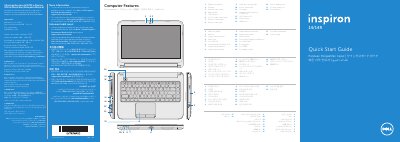
Dell Inspiron 3421/5421 Quick Start Guide
This document serves as a Quick Start Guide for the Dell Inspiron 3421 and Inspiron 5421 laptops. It provides an overview of the computer's physical features, such as the digital microphone, camera, optical drive, various ports (USB 2.0, USB 3.0, HDMI), and status lights. The guide also lists regulatory information for the model, including input voltage and frequency specifications.
Read onlineDell Inspiron 3421 specifications
| Regulatory Model | P37G |
|---|---|
| Input Voltage | 100 – 240 V AC |
| Input Frequency | 50 – 60 Hz |
| Output Voltage | 19.50 V DC |
All Dell Inspiron 3421 documents by type
The shortest path to a working setup, usually only a few pages.
Disassembly, diagnostics and part numbers, for repair.
Day-to-day operation, settings and troubleshooting. Start here if the product is already set up.
Questions answered in these manuals
What is the regulatory model number for this computer?
The regulatory model number is P37G.
Where can I find my service tag?
You should locate your service tag or regulatory labels on the device.
What tools are recommended for this repair?
The procedures described in this document may require a Phillips screwdriver and a plastic stick.
Who is authorized to remove the computer cover?
Only certified service technicians are authorized to remove the computer cover and access any internal components.
What tools are required for procedures in this manual?
The procedures may require a Phillips screwdriver and a plastic scribe.
How do I ground myself before working inside the computer?
Touch an unpainted metal surface, such as the metal at the back of the computer, before touching anything inside.