
Key facts
Start here
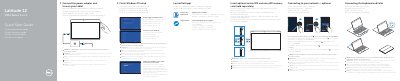
Dell Latitude 12 7000 Series 2-in-1 Quick Start Guide
This Dell Quick Start Guide covers the Latitude 12 7000 Series 2-in-1 tablet, computer model Latitude 12 7275. It explains first-time setup: connect the power adapter and turn on the tablet, finish Windows 10 setup, enable Support and Protection, and sign in to a Microsoft account or create a local account.
The guide also covers connecting to a network, inserting an optional micro-SIM or microSD memory card, locating Dell apps, registering the computer, using SupportAssist, and connecting or disconnecting the keyboard and Folio. A features diagram identifies the buttons, ports, cameras, and dock pins.
Dell Latitude 12 7275 specifications
| Computer model | Latitude 12 7275 |
|---|---|
| Regulatory model | T02H |
| Regulatory type | T02H001 |
Source: Dell Latitude 12 7000 Series 7275 2-in-1 Quick Start Guide
All Dell Latitude 12 7275 documents by type
The shortest path to a working setup, usually only a few pages.
Disassembly, diagnostics and part numbers, for repair.
Questions answered in these manuals
How do I start using the tablet?
Connect the power adapter and turn on your tablet, then finish Windows 10 setup.
When does the keyboard backlight turn on?
It turns on for 2 seconds when the tablet-docking and keyboard-docking pins are aligned correctly.
What should be inserted before powering on the tablet?
It is recommended to insert the micro-SIM card and the microSD card before powering on the tablet.
From: Dell Latitude 12 7000 Series 7275 2-in-1 Quick Start Guide
How long does the keyboard backlight stay on when the docking pins align correctly?
The keyboard backlight turns on for 2 seconds when the tablet-docking pins and keyboard-docking pins are aligned correctly.
From: Dell Latitude 12 7000 Series 7275 2-in-1 Quick Start Guide
When should I insert the SIM and microSD cards?
It is recommended to insert the micro-SIM card and the microSD card before powering on the tablet.
How long does the keyboard backlight stay on when docking?
The keyboard backlight turns on for 2 seconds when the tablet-docking pins and keyboard-docking pins are aligned correctly.