
Key facts
Start here
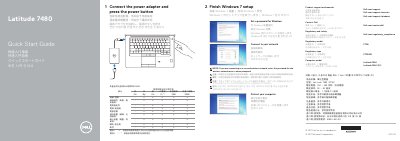
Dell Latitude 7480 Laptop Quick Start Guide
The Dell Latitude 7480 Quick Start Guide provides essential instructions for setting up the laptop, including connecting the power adapter, completing Windows 7 setup, and configuring network connectivity.
The document also includes a detailed map of the device's hardware features, identifying ports such as USB 3.0, HDMI, and USB Type-C, as well as optional components like the fingerprint reader and NFC sensor.
Dell Latitude 7480 specifications
| EMC Emissions Class | Class B |
|---|---|
| Regulatory Model | .P73G |
| Effective Date | December 28, 2016 |
| Post-consumer recycled plastic content | 7% |
Source: Dell Latitude 7480/Latitude 74 80-01 Product Compliance Datasheet
All Dell Latitude 7480 documents by type
Ratings, dimensions and ordering codes, for selection and design work.
The shortest path to a working setup, usually only a few pages.
- Dell Latitude 7480 Laptop Quick Start Guide 2 p
- Dell Latitude 7480 Quick Start Guide 2 p
- Dell Latitude 7480 Laptop Quick Start Guide 2 p
- Dell Latitude 7480 Laptop Quick Start Guide 2 p
- Dell Latitude 7480 Quick Start Guide 2 p
- Dell Latitude 7480 Quick Start Guide 2 p
- Dell Latitude 7480 Quick Start Guide 2 p
- Dell Latitude 7480 Quick Start Guide 2 p
- Dell Latitude 7480 Quick Start Guide 2 p
- Dell Latitude 7480 Quick Start Guide 2 p
- Dell Latitude 7480 Quick Start Guide 2 p
- Dell Latitude 7480 Quick Start Guide 2 p
- Dell Latitude 7480 Quick Start Guide 2 p
- Dell Latitude 7480 Quick Start Guide 2 p
- Dell Latitude 7480 Quick Start Guide 2 p
- Dell Latitude 7480 Quick Start Guide 2 p
Questions answered in these manuals
What EMC Emissions Class is assigned to this equipment?
The equipment has been assigned an EMC Emissions Class of B, intended for use in residential/domestic environments.
From: Dell Latitude 7480/Latitude 74 80-01 Product Compliance Datasheet
Can the batteries in this product be easily replaced by users?
No, the battery(ies) in this product cannot be easily replaced by users themselves.
From: Dell Latitude 7480/Latitude 74 80-01 Product Compliance Datasheet
How do I start the laptop for the first time?
Connect the power adapter and press the power button.
What should I do if I connect to a secured wireless network?
Enter the password for the wireless network access when prompted.
How do I connect to a secured wireless network?
Enter the password for the wireless network access when prompted.
What is the regulatory model for this device?
The regulatory model is P73G.