
Key facts
Start here
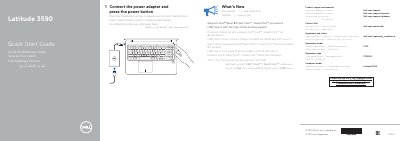
Dell Latitude 3590 Computer Quick Start Guide
This Quick Start Guide explains how to set up the Dell Latitude 3590 computer by connecting the power adapter and pressing the power button. It also provides product support links and regulatory details.
The guide lists computer features including cameras, ports, card slots, buttons, and speakers, and directs users to Dell.com/support, Dell.com/support/manuals, and Dell.com/contactdell.
Dell Latitude 3590 specifications
| Computer model | Latitude 3590 |
|---|---|
| Regulatory model | P75F |
| Regulatory type | P75F001 |
| Processor support | Intel latest 8th Gen Core i Quad Core processors |
| USB Type-C docking | Full Type-C Dell docking support |
| DisplayPort interface | USB 3.1 Gen 1 (Type-C) port/DisplayPort |
| USB port | USB 3.1 Gen 1 port with PowerShare |
All Dell Latitude 3590 documents by type
The shortest path to a working setup, usually only a few pages.
- Dell Latitude 3590 Computer Quick Start Guide 2 p
- Dell Latitude 3590 Quick Start Guide 2 p
- Dell Latitude 3590 Laptop Quick Start Guide 2 p
- Dell Latitude 3590 Computer Quick Start Guide 2 p
- Dell Latitude 3590 Quick Start Guide 2 p
- Dell Latitude 3590 Quick Start Guide 2 p
- Dell Latitude 3590 Quick Start Guide 2 p
- Dell Latitude 3590 Quick Start Guide 2 p
Disassembly, diagnostics and part numbers, for repair.
Day-to-day operation, settings and troubleshooting. Start here if the product is already set up.
Questions answered in these manuals
How do I start the Dell Latitude 3590?
Connect the power adapter and press the power button.
What processors does the Dell Latitude 3590 support?
It supports Intel 8th Gen Core i Quad Core processors.
How do you start the Dell Latitude 3590?
Connect the power adapter and press the power button.
What processors does the Latitude 3590 support?
It supports Intel latest 8th Gen Core i Quad Core processors.
How do I turn on the Dell Latitude 3590?
Connect the power adapter and press the power button.
What processors does the Dell Latitude 3590 support?
It supports Intel latest 8th Gen Core i Quad Core processors.