
Key facts
Start here
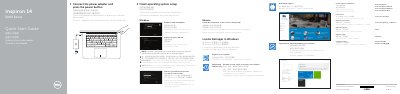
Dell Inspiron 14 5000 Series Quick Start Guide
This Quick Start Guide helps users set up the Dell Inspiron 14 5000 Series computer. It explains how to connect the power adapter, finish operating system setup, enable security and updates, connect to a network, and sign in to a Microsoft account or create a local account.
The guide also identifies the computer's features, including the power button, USB ports, HDMI port, network port, headset port, and service tag label, and lists shortcut keys for audio, display, and wireless functions.
Dell Inspiron 14 5457 specifications
| USB 3.0 ports | 2 |
|---|---|
| HDMI port | 1 |
| Network port | 1 |
All Dell Inspiron 14 5457 documents by type
The shortest path to a working setup, usually only a few pages.
Disassembly, diagnostics and part numbers, for repair.
Questions answered in these manuals
How do I finish operating system setup?
Follow the instructions on the screen to finish setup.
What should I do when connecting to a secured wireless network?
Enter the password for the wireless network access when prompted.
What should I do on a secured wireless network?
Enter the password for the wireless network access when prompted.
Where can I find product support and manuals?
Refer to the Product support and manuals section.
What tools are recommended for this computer?
A Phillips screwdriver and a plastic scribe.
From: Dell Inspiron 14 5000 Series Inspiron 14-5457 Laptop User Manual
What should you do before touching internal components?
Touch an unpainted metal surface to discharge static electricity.
From: Dell Inspiron 14 5000 Series Inspiron 14-5457 Laptop User Manual