
Key facts
Start here
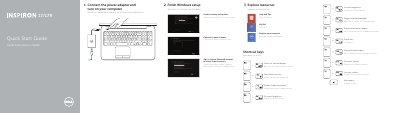
Dell Inspiron 17/17R Laptop Quick Start Guide
This document serves as a Quick Start Guide for the Dell Inspiron 17/17R laptop. It outlines the initial steps required to finish Windows setup, explore system resources, and configure essential settings such as network connections, wireless functionality, and touchpad controls. The guide also includes instructions for registering the computer and enabling security updates.
Read onlineDell 17R specifications
| Processor Type | 11th Gen Intel Core i7-11800H / i9-11980HK |
|---|---|
| Chipset | HM570 |
| Operating System | Windows 11 Home/Pro, Windows 10 Home/Pro |
| Memory Slots | Two SO-DIMM slots |
| Maximum Memory | 64 GB |
| Storage Slots | Two M.2 slots |
| Weight | 3.20 kg (7.05 lbs) |
Source: Dell Alienware x17 R1 Setup and Specifications Guide
All Dell 17R documents by type
Day-to-day operation, settings and troubleshooting. Start here if the product is already set up.
Disassembly, diagnostics and part numbers, for repair.
The shortest path to a working setup, usually only a few pages.
Questions answered in these manuals
What operating systems does the Alienware x17 R1 support?
It supports Windows 11 Home/Pro and Windows 10 Home/Pro 64-bit.
How many M.2 storage slots are available?
There are two M.2 slots available for SSDs.
Which computer models does this manual cover?
It covers the Dell Inspiron 17/17R, specifically computer models Inspiron 3721/5721.
What tools are recommended for the procedures in this manual?
The procedures may require a Phillips screwdriver and a plastic scribe.
How do I switch to an external display?
Press the shortcut key combination to switch to an external display.
How do I toggle the keyboard backlight?
Use the shortcut key combination to toggle the keyboard backlight on or off.