
The Dell Inspiron 14 5000 Series Quick Start Guide provides instructions on unpacking, setting up, and connecting to a network.
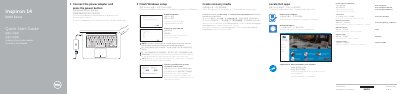
This quick start guide is for the Dell Inspiron 14 5000 Series laptop, model Inspiron 14-5457. It presents initial setup steps such as connecting power, finishing Windows setup, enabling Dell updates, connecting to a network, signing in, locating Dell apps, and creating recovery media.
It also identifies the laptop's external features and ports, lists shortcut keys, and provides links for product support, manuals, contacting Dell, and regulatory information.
| USB 2.0 ports | 1 |
|---|---|
| USB 3.0 ports | 2 |
| HDMI port | 1 |
| Network port | 1 |
| Media card reader | 1 |
In Windows search, type Recovery, click Create a recovery media, and follow the instructions on the screen.
Use Dell.com/support and Dell.com/support/manuals.
The computer model is Inspiron 14-5457.
Enter the password for the wireless network access when prompted.