
Key facts
Start here
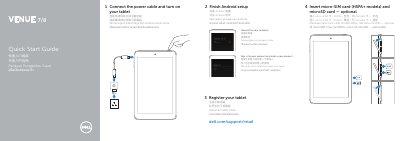
Dell Venue 7 and Venue 8 Tablet Quick Start Guide
The Dell Venue 7 and Venue 8 Tablet Quick Start Guide provides essential instructions for getting started with the device. It outlines the basic process of powering on the tablet, completing the Android setup, and registering the device.
The guide also includes a detailed hardware map identifying key components such as the Micro-USB port, camera locations, and card slots.
Dell Venue 8 specifications
| Model | Venue 7/Venue 8 |
|---|---|
| Regulatory model (Venue 7) | T01C/T01C001, T01C002 |
| Regulatory model (Venue 8) | T02D/T02D001, T01D002 |
| Micro-SIM card slot | HSPA+ models only |
| Volume buttons | 2 |
All Dell Venue 8 documents by type
The shortest path to a working setup, usually only a few pages.
Day-to-day operation, settings and troubleshooting. Start here if the product is already set up.
Questions answered in these manuals
Where can I find product support and manuals?
Product support and manuals are available at dell.com/support and dell.com/support/manuals.
Which models support a micro-SIM card?
Micro-SIM cards are supported on HSPA+ models.
How do I insert a micro-SIM card and microSD card?
Insert the micro-SIM card (HSPA+ models) and optional microSD card as described in the guide.
What are the regulatory models for the Dell Venue 7 and Venue 8?
Venue 7 regulatory models are T01C/T01C001 and T01C002; Venue 8 regulatory models are T02D/T02D001 and T01D002.
How do I connect my tablet to a network?
Connect to your network by following the on-screen instructions after turning on your tablet.
What ports does the tablet have?
The tablet has a micro-USB port, microSD card slot, micro-SIM card slot (HSPA+ models only), headphone port, front and rear cameras, and volume buttons.