
Key facts
Start here
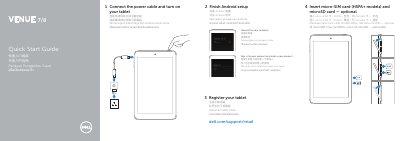
Dell Venue 7 and Venue 8 Tablet Quick Start Guide
The Dell Venue 7 and Venue 8 Tablet Quick Start Guide provides essential instructions for getting started with the device. It outlines the basic process of powering on the tablet, completing the Android setup, and registering the device.
The guide also includes a detailed hardware map identifying key components such as the Micro-USB port, camera locations, and card slots.
Dell Venue 7 specifications
| Operating System | Android 4.4.2 Kit Kat |
|---|---|
| Battery Capacity | 4550 mAh |
| Rear Camera | 5 Megapixels with Auto Focus |
| Processor | Merrifield Dual-Core |
| RAM | 1GB LPDDR3 |
| Storage | 16GB EMMC |
Source: Dell Venue 7/8 User Manual
All Dell Venue 7 documents by type
Day-to-day operation, settings and troubleshooting. Start here if the product is already set up.
The shortest path to a working setup, usually only a few pages.
Questions answered in these manuals
How long should I charge the tablet for the first time?
It is recommended to charge the tablet for 4 hours for the first time.
How do I turn on the tablet?
Press and hold the power button for 3 to 5 seconds to turn on the tablet.
How do I enter fastboot mode on the Dell Venue 7 3741?
Press the power button together with the volume‑down button to enter fastboot mode.
How can I disable BIOS signature checking on the tablet?
Flash the boot_eng.img file first, then run flashbios.bat to flash the special BIOS.
Where can I find product support and manuals?
Product support and manuals are available at dell.com/support and dell.com/support/manuals.
Which models support a micro-SIM card?
Micro-SIM cards are supported on HSPA+ models.