
Key facts
Start here
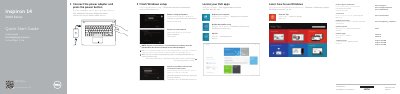
Dell Inspiron 14 3000 Series Laptop Quick Start Guide
This document serves as a quick start guide for the Dell Inspiron 14 3000 Series laptop. It provides instructions for completing the initial Windows setup, registering the computer with Dell Backup and Recovery, and connecting the power adapter. It also directs users to the Dell support website for further assistance.
Read onlineDell Inspiron 14 3000 specifications
| Processor | 7th Gen Intel Core i5/i7 |
|---|---|
| Memory Slots | Two SODIMM slots |
| Memory Speed | 1600 MHz |
| Supported Memory Configurations | 2 GB, 4 GB, 8 GB, and 16 GB |
| Network | RJ-45 port |
| USB Ports | One USB 3.0 port, two USB 2.0 ports |
| Wireless | Wi-Fi 802.11ac, 802.11b/g/n, Bluetooth 4.0 |
| Storage | One 2.5-inch drive |
Source: Dell Inspiron 14 3000 Setup and Specifications Manual
All Dell Inspiron 14 3000 documents by type
Day-to-day operation, settings and troubleshooting. Start here if the product is already set up.
Disassembly, diagnostics and part numbers, for repair.
- Dell Inspiron 14 3000 Series Service Manual 88 p
- Dell Inspiron 14 3000 Series Service Manual 99 p
- Dell Inspiron 14 3000 Series Service Manual 101 p
- Dell Inspiron 14 3000 Series Service Manual 93 p
- Dell Inspiron 14 3000 Series Notebook Service Manual 84 p
- Dell Inspiron 14 3000 Series Service Manual 100 p
- Dell Inspiron 14 3000 Series (Inspiron 14-3443) Service Manual 88 p
- Dell Inspiron 14 3000 Laptop Service Manual 99 p
- Dell Inspiron 14 3000 (Inspiron 14-3459) Service Manual 96 p
- Dell Inspiron 14 3000 (Inspiron 14-3465) Service Manual 105 p
- Dell Inspiron 14 3000 Series Inspiron 14–3451 Service Manual 96 p
- Dell Inspiron 14 3000 Series Service Manual - Memory Upgrade 11 p
- Dell Inspiron 14 3000 Series Computer Service Manual 96 p
- Dell Inspiron 14 3000 Series Service Manual 94 p
- Dell Inspiron 14 3000 Series Owner's Manual 84 p
- Dell Inspiron 14 3000 Series Service Manual 85 p
- Dell Inspiron 14 3000 Series Service Manual 96 p
- Dell Inspiron 14 3000 Service Manual 98 p
- Dell Inspiron 14 3000 Series Service Manual 91 p
- Dell Inspiron 14 3000 Series (Inspiron 3442) Notebook Owner's Manual 87 p
- Dell Inspiron 14 3000 (Inspiron 14-3462) Laptop Service Manual 107 p
The shortest path to a working setup, usually only a few pages.
- Dell Inspiron 14 3000 Series Laptop Quick Start Guide 2 p
- Dell Inspiron 14 3000 Series Quick Start Guide 2 p
- Dell Inspiron 14 3000 Series Quick Start Guide 2 p
- Dell Inspiron 14 3000 Series Laptop Quick Start Guide 2 p
- Dell Inspiron 14-3000 Series Notebook Quick Start Guide 2 p
- Dell Inspiron 14 3000 Series Laptop Quick Start Guide 2 p
Mounting, wiring and first power-up. Read it before the hardware goes in.
Questions answered in these manuals
How do I force shut down the computer?
Press and hold the power button for 4 seconds.
What does the white power light indicate?
It indicates that the power adapter is connected and the battery charge is over 5%.
What is the official model number for the Inspiron 14 3000 Series?
The official model number is P53G, and the official type is P53G001.
How should you handle components to prevent damage?
You should handle all components and cards by holding their edges and avoid touching pins and contact areas.
What is the first step to start using the computer?
Connect the power adapter and press the power button.
How do I access advanced options for the computer?
Click Start, then All Programs, then Dell Help Documentation.