
Key facts
Start here
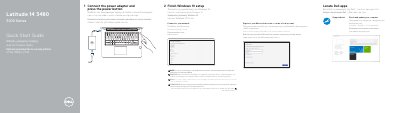
Dell Latitude 14 3480 3000 Series Quick Start Guide
This document serves as a multilingual Quick Start Guide for the Dell Latitude 14 3480 3000 Series laptops. It provides step-by-step instructions in English, Greek, Portuguese, Russian, and Hebrew for locating Dell apps, connecting the power adapter, starting the computer, completing Windows 10 setup, connecting to a network, and signing into a Microsoft account. A specific note advises users to enter the password for secured wireless networks when prompted.
Read onlineDell Latitude 14 3480 3000 specifications
| Regulatory Model | P79G |
|---|---|
| Regulatory Type | P79G001 |
| Computer Model | Latitude 14-3480 |
All Dell Latitude 14 3480 3000 documents by type
The shortest path to a working setup, usually only a few pages.
- Dell Latitude 14 3480 3000 Series Quick Start Guide 2 p
- Dell Latitude 14 3480 3000 Series Laptop Quick Start Guide 2 p
- Dell Latitude 14 3480 3000 Series Notebook Quick Start Guide 2 p
- Dell Latitude 14 3480 3000 Series Quick Start Guide 2 p
- Dell Latitude 14 3480 3000 Series Quick Start Guide 2 p
- Dell Latitude 14 3480 3000 Series Quick Start Guide 2 p
- Dell Latitude 14 3480 3000 Series Notebook Quick Start Guide 2 p
- Dell Latitude 14 3480 3000 Series Quick Start Guide 2 p
- Dell Latitude 14 3480 3000 Series Quick Start Guide 2 p
Day-to-day operation, settings and troubleshooting. Start here if the product is already set up.
Questions answered in these manuals
What should I do if I am connecting to a secured wireless network?
Enter the password for the wireless network access when prompted.
Where can I find product support and manuals?
Visit Dell.com/support or Dell.com/support/manuals.
How do I connect to a secured wireless network?
Enter the password for the wireless network access when prompted.
From: Dell Latitude 14 3480 3000 Series Notebook Quick Start Guide
What should I do if I am connecting to a secured wireless network?
Enter the password for the wireless network access when prompted.
How do I finish the setup for Ubuntu?
Follow the instructions on the screen to finish setup.
What should I do if I connect to a secured wireless network?
Enter the password for the wireless network access when prompted.
From: Dell Latitude 14 3480 3000 Series Notebook Quick Start Guide