
Key facts
- Brand
- DELL
- Model
- S60
- Category
- Other Electronics
- Documents
- 15
- Languages
- EN · ES · FR
- Last added
- 2023-11-24
Start here
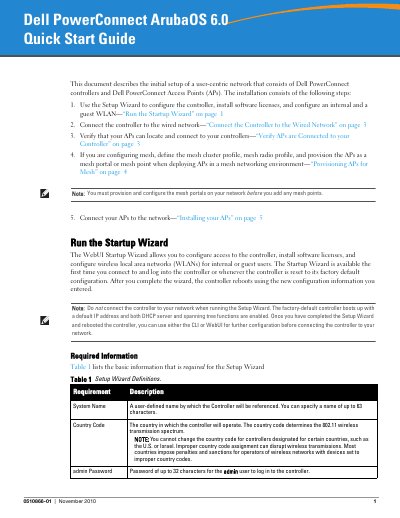
Dell PowerConnect ArubaOS 6.0 Quick Start Guide
This document provides instructions for the initial setup of a user-centric network consisting of Dell PowerConnect controllers and Access Points (APs). The installation process involves running the Startup Wizard to configure the controller, installing software licenses, and setting up internal and guest WLANs. Alternatively, users can configure the controller via a serial port connection before connecting it to the wired network.
Read onlineDell S60 specifications
| Switch model | S60 |
|---|---|
| Required firmware version | 8.3.3.9 |
| Jumbo Frames MTU | 9252 |
Source: Dell Networking S60 and Force10 S60 Switch Configuration Guide
All Dell S60 documents by type
Day-to-day operation, settings and troubleshooting. Start here if the product is already set up.
Mounting, wiring and first power-up. Read it before the hardware goes in.
The shortest path to a working setup, usually only a few pages.
Disassembly, diagnostics and part numbers, for repair.
Questions answered in these manuals
What firmware version is required for proper functionality?
The switch must be at firmware version 8.3.3.9 before proceeding with this configuration.
From: Dell Networking S60 and Force10 S60 Switch Configuration Guide
How do you configure the switch ports for LAG?
You configure the switch interconnect as a LAG using the interface Port-channel 1 command.
From: Dell Networking S60 and Force10 S60 Switch Configuration Guide
What is the default IP address of the controller?
The default IP address of the controller is 172.16.0.254.
What communication settings are required for a serial port connection?
The required settings are a baud rate of 9600, 8 data bits, no parity, 1 stop bit, and no flow control.
What is the default IP address of the controller?
The default IP address of the controller is 172.16.0.254.
What serial port settings are used for initial setup?
Use 9600 baud, 8 data bits, no parity, 1 stop bit, and no flow control.