
Key facts
- Brand
- DELL
- Model
- DL4000
- Category
- Servers Computer
- Documents
- 7
- Languages
- EN · ZH
- Last added
- 2023-11-24
Start here
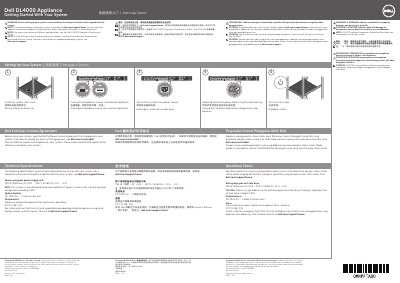
Dell DL4000 Appliance Getting Started Guide
This document serves as a Getting Started guide for the Dell DL4000 Appliance. It outlines the initial steps required to set up the system, including installing the unit into a rack, connecting optional peripherals like a keyboard, mouse, and monitor, and connecting the power source. Users are advised to read the safety instructions and the End User License Agreement before proceeding.
Read onlineDell DL4000 specifications
| Power rating per power supply unit | 750 W (Platinum) AC (100 – 240 V, 50/60 Hz, 10 A – 5 A) |
|---|---|
| System battery | CR 2032 3.0 – V lithium coin cell |
| Maximum ambient temperature | 20°C/h (36° F/h) |
All Dell DL4000 documents by type
Day-to-day operation, settings and troubleshooting. Start here if the product is already set up.
Mounting, wiring and first power-up. Read it before the hardware goes in.
Questions answered in these manuals
What is the maximum ambient temperature for continuous operation?
The maximum ambient temperature for continuous operation is 20°C/h (36° F/h).
What is the power rating per power supply unit?
The power rating per power supply unit is 750 W (Platinum).
What languages are supported for the system default language?
The system is designed to use English as the default language, and non-English language packs should not be used.
From: Dell PowerVault DL4000 Backup to Disk Appliance Deployment Guide
What RAID configuration is automatically assigned to the disks?
The disks are automatically configured as RAID 6.
From: Dell PowerVault DL4000 Backup to Disk Appliance Deployment Guide
What should I do before setting up the system?
Read and follow the safety instructions that shipped with the system.
Where can I find the complete and current listing of specifications?
See dell.com/support/home.