
Dell DL4000 Appliance Deployment Guide

The Dell DL4000 Appliance Deployment Guide.
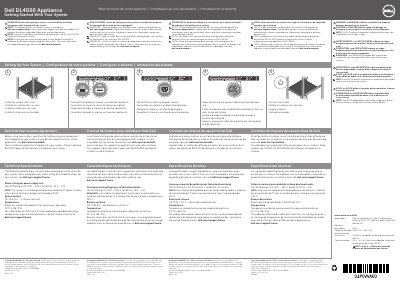

Dell DL4000 Appliance Deployment Guide - cover page
Brand
DELL
Category
Servers Computer
Document type
User Manual
Language
English
Pages
1
File format
PDF
File size
109 KB
Published
20 November, 2023
Updated
20 November, 2023
Model
DL4000
MD5 checksum
B14F9C59CEB6345CDB16A02203345CD6

About this manual

This document provides instructions for deploying the Dell DL4000 Appliance. It covers essential setup steps including installing the system into a rack, connecting optional peripherals like a keyboard, mouse, and monitor, and connecting the system to a power source. Users are advised to loop and secure the power cable using the retention clip and to turn on the system after these steps.

What's inside

  • Setting Up Your System
  • Configuration de votre système
  • Configurar o sistema
  • Instalación del sistema
  • Install the system into a rack
  • Connect the keyboard, mouse, and monitor
  • Connect the system to a power source
  • Technical Specifications
  • Power rating per power supply unit
  • System battery

Specifications

Power rating per power supply unit750 W (Platinum) AC (100 – 240 V, 50/60 Hz, 10 A – 5 A)
System batteryCR 2032 3.0 – V lithium coin cell
Maximum ambient temperature20°C/h (36° F/h)
Regulatory Model/TypeE16S Series/E16S001
Download PDF (109 KB)

More DELL Manuals


View all DELL manuals →