
Dell DL4000 Appliance Getting Started Guide

The Dell DL4000 appliance user manual
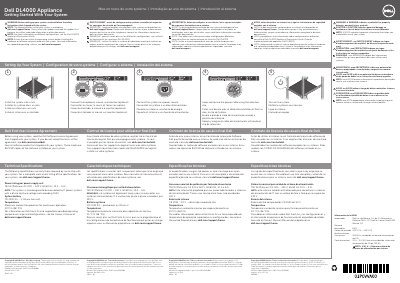

Dell DL4000 Appliance Getting Started Guide - cover page
Brand
DELL
Category
Servers Computer
Document type
User Manual
Language
English
Pages
1
File format
PDF
File size
109 KB
Published
20 November, 2023
Updated
20 November, 2023
Model
DL4000
MD5 checksum
9C2524CE7D11A5725CD5E84934901EFC

About this manual

This document provides instructions for setting up the Dell DL4000 Appliance. It covers safety warnings, the installation process into a rack, connecting peripherals, and powering on the system. The guide is multilingual, with instructions provided in English, French, Portuguese, and Spanish.

What's inside

  • Setting Up Your System
  • Install the system into a rack
  • Connect the keyboard, mouse, and monitor
  • Connect the system to a power source
  • Turn on the system
  • Dell End User License Agreement
  • Technical Specifications
  • Power rating per power supply unit
  • System battery
  • Temperature

Specifications

Power rating per power supply unit750 W (Platinum)
Input voltage100 – 240 V AC
Input frequency50/60 Hz
System batteryCR 2032 3.0 V lithium coin cell
Maximum ambient temperature20°C/h (36° F/h)

Frequently asked questions

Where can I find the full documentation set for my system?

The documentation set is available at dell.com/support/home.

What is the power rating of the system's power supply unit?

The power rating per power supply unit is 750 W (Platinum).

What type of battery is used in the system?

The system uses a CR 2032 3.0 V lithium coin cell battery.

Download PDF (109 KB)

More DELL Manuals


View all DELL manuals →