
Key facts
Start here
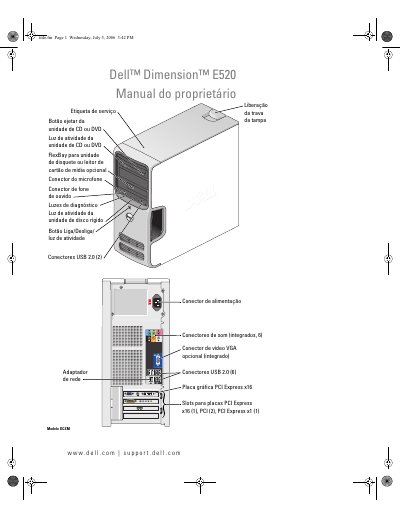
Dell Dimension E520 Owner's Manual
This manual provides instructions for the Dell Dimension E520 computer, including setup and usage of the system, such as connecting printers, internet, and media drives. It details how to adjust volume and image settings, copy CDs and DVDs, and use optional media card readers. This manual is written in Portuguese.
Read onlineDell Dimension E520 specifications
| Processor | Intel Pentium 4 with Hyper-Threading |
|---|---|
| Memory Type | DDR2 Unbuffered SDRAM |
| Maximum Memory | 4 GB |
| Network Interface | 10/100 Integrated |
| Power Supply | 305 W |
| Height | 41.4 cm (16.3 inches) |
Source: Dell Dimension E520 User Manual
All Dell Dimension E520 documents by type
Day-to-day operation, settings and troubleshooting. Start here if the product is already set up.
Questions answered in these manuals
What is the minimum memory required?
The minimum memory required is 256 MB.
How do I clear forgotten passwords in the BIOS?
You can clear forgotten passwords using the System Setup Utility.
What is the purpose of the FlexBay?
The FlexBay is an optional unit for a floppy disk drive or a multimedia card reader.
How can I identify my specific computer?
You can use the Service Tag located on the computer to identify it on support.dell.com.
What are the minimum and maximum memory capacities for this computer?
The minimum memory is 256 MB and the maximum memory is 4 GB.
Does this computer support RAID configurations?
Yes, it supports RAID 1 (Mirroring).