
Key facts
- Brand
- Casio
- Model
- PX-S1100
- Category
- Other Electronics
- Documents
- 2
- Languages
- EN · ZH
- Last added
- 2026-10-01
Start here
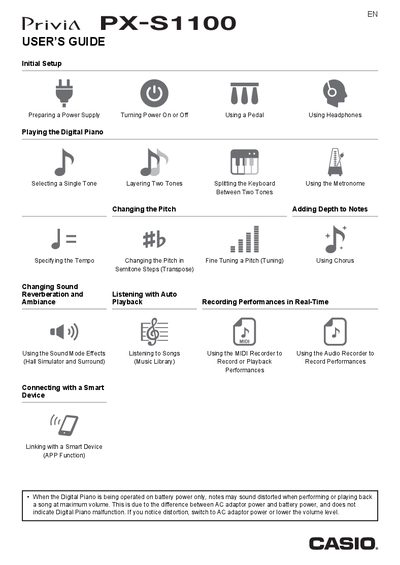
Casio PX‑S1100 Digital Piano User Guide
This guide covers everything you need to start using the Casio PX‑S1100 digital piano, from initial power‑up and battery handling to connecting headphones, pedals, and Bluetooth devices. Detailed instructions walk you through tone selection, layering, splitting, metronome use, recording, and the various sound‑effect modes.
Additional sections describe USB flash‑drive handling, MIDI settings, panel‑light configuration, factory reset, troubleshooting, and full product specifications, helping both beginners and experienced players get the most out of the instrument.
Casio PX-S1100 specifications
| Keyboard | 88‑key piano keyboard |
|---|---|
| Maximum polyphony | 192 notes |
| Number of tones | 18 (17 full‑keyboard tones + 1 low‑range bass tone) |
| Touch response | 5 sensitivity levels, Off |
| Tuning range | 415.5 Hz – 465.9 Hz (0.1 Hz units) |
| Power supply (AC adaptor) | AD‑A12150LW (JEITA standard plug) |
| Dimensions | 132.2 mm × 23.2 mm × 10.2 mm (W × D × H) |
| Weight | Approximately 11.2 kg (without batteries) |
| Speaker output power | 8 W + 8 W |
All Casio PX-S1100 documents by type
Day-to-day operation, settings and troubleshooting. Start here if the product is already set up.
Questions answered in these manuals
How do I reset the piano to factory defaults?
Use the Factory Reset (Initialization) function described in the manual to restore all stored data and settings to their original defaults.
What AC adapter is specified for the PX-S1100?
The manual specifies AC adapter AD-A12150LW.
How many batteries does the piano use?
It uses six AA batteries.