
This document is a user guide for a printer, including basic usage methods, available printing media, different printing methods for different purposes, maintenance, using the printer in a network environment, troubleshooting, and operation methods of the function menu.
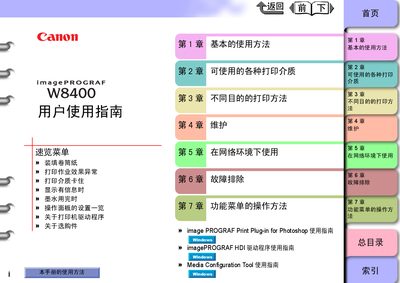
This manual covers all aspects of using the Canon imagePROGRAF W8400 large‑format printer. It includes chapters on basic operation, printable media, different printing purposes, maintenance, network configuration, troubleshooting, and detailed function‑menu operations.
Key specifications such as print resolution, supported interfaces, ink‑cartridge details, power consumption, dimensions and weight are listed in the specifications section, helping users understand the printer’s capabilities and requirements. This manual is written in Chinese.
| Maximum resolution | 2400×1200 dpi |
|---|---|
| USB interface | USB 2.0 High‑Speed |
| Network interface | 10BASE‑T/100BASE‑TX |
| IEEE‑1394 interface (optional) | IEEE1394‑a, 6‑pin, no power |
| Replaceable print head | BC‑1350 |
| Nozzle count | 1280 (6 colors) |
| Ink‑cartridge capacity | 330 ml per colour |
| Maximum power consumption | 160 W |
Press the power button; the power‑on and information LEDs will flash, then the online indicator becomes steady when the printer is ready.
Open the right cover panel, remove the used cartridge, and insert the new ink cartridge, then close the cover.
Use the USB‑B port labeled as a USB 2.0 High‑Speed interface.
Select ‘Use Power Save’ on the operation panel and set the sleep timer to turn the printer into sleep mode after the chosen period.