
Key facts
- Brand
- Sharp
- Model
- XE-A207B
- Category
- pos terminal
- Documents
- 2
- Languages
- EN
- Last added
- 2023-11-10
Start here
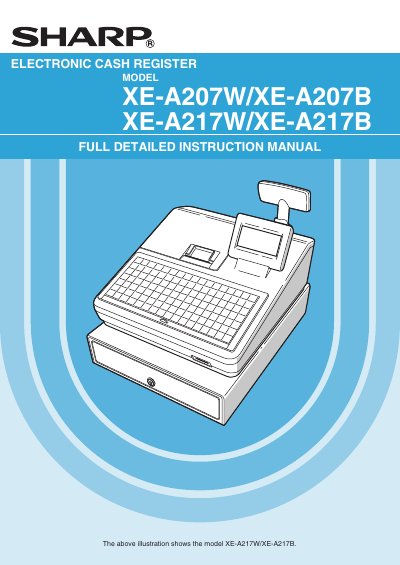
Sharp XE-A207W/XE-A207B/XE-A217W/XE-A217B Electronic Cash Register Full Detailed Instruction Manual
The Sharp XE-A207W/XE-A207B/XE-A217W/XE-A217B Full Detailed Instruction Manual describes the electronic cash register models listed on the cover. It covers part names and functions, operating modes, preparations for entries, item entries and finalization, corrections, manager mode, reading and resetting sales totals, and programming.
The manual also includes SD card mode, electronic journal, EURO migration, operator maintenance, troubleshooting before calling for service, and specifications. The printer is a receipt one-station thermal printer that does not require an ink ribbon or cartridge, and the document gives recording paper specifications and paper roll replacement instructions.
Sharp XE-A207B specifications
| Printer type | Receipt (one station) type thermal printer |
|---|---|
| Average printer life | Approximately 5 million lines |
| Recording paper width | 57.5 ± 0.5 mm |
| Recording paper maximum outside diameter | 80 mm |
| Recording paper thickness | 0.06 to 0.08 mm |
Source: Sharp XE-A207W/XE-A207B/XE-A217W/XE-A217B Electronic Cash Register Full Detailed Instruction Manual
All Sharp XE-A207B documents by type
Day-to-day operation, settings and troubleshooting. Start here if the product is already set up.
Questions answered in these manuals
Does the printer require an ink ribbon or cartridge?
No. The manual states that the receipt thermal printer does not require any type of ink ribbon or cartridge.
From: Sharp XE-A207W/XE-A207B/XE-A217W/XE-A217B Electronic Cash Register Full Detailed Instruction Manual
What recording paper width should be used?
Use paper rolls with a width of 57.5 ± 0.5 mm.
From: Sharp XE-A207W/XE-A207B/XE-A217W/XE-A217B Electronic Cash Register Full Detailed Instruction Manual
What type of batteries does the cash register use?
It uses two alkaline LR6 (AA) batteries for protection against data loss after initializing the cash register.
From: Sharp XE-A207W/XE-A207B/XE-A217W/XE-A217B Electronic Cash Register Full Detailed Instruction Manual
How long does SD card data backup take?
Backing up data takes approximately 6 minutes, unless the SD card already contains up to 3000 backups or directories.
From: Sharp XE-A207W/XE-A207B/XE-A217W/XE-A217B Electronic Cash Register Full Detailed Instruction Manual