
Key facts
- Brand
- Samsung
- Model
- SF-650
- Category
- All-in-one printer
- Industry
- Computers
- Documents
- 2
- Languages
- EN
- Last added
- 2012-03-28
Start here
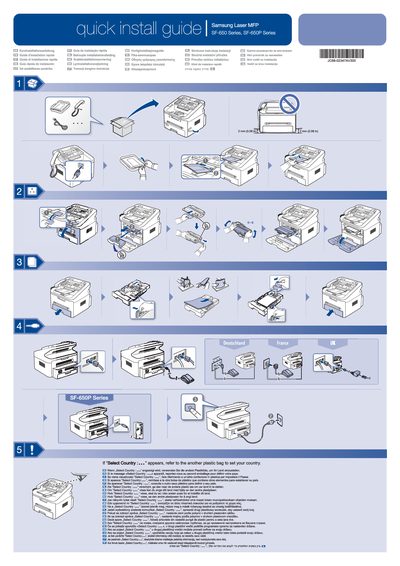
Samsung SF-650P Quick Installation Service Manual
This guide offers quick installation instructions for the Samsung SF-650P series printer. It explains how to select the correct country setting using the accompanying plastic bag and directs users to follow the safety procedures before operation.
The manual is multilingual, containing the same instructions in many languages, and reminds users to consult the full Users Guide on the supplied CD‑ROM for detailed safety information.
All Samsung SF-650 documents by type
Day-to-day operation, settings and troubleshooting. Start here if the product is already set up.
The shortest path to a working setup, usually only a few pages.
Questions answered in these manuals
Where can I find the safety guidelines for the SF-650P?
The safety guidelines are in the Users Guide on the supplied CD‑ROM.
How do I turn on the Samsung SF-650 Series machine?
Connect the power cord to a grounded outlet and press the power button to turn the machine on.
What safety precautions should I follow when cleaning the machine?
Unplug the power cord before cleaning, avoid using solvents, and keep cleaning supplies away from children.