
Key facts
- Brand
- Samsung
- Model
- 750S
- Category
- Monitor
- Industry
- Electronics
- Documents
- 4
- Languages
- EN · ZH
- Last added
- 2012-03-28
Start here
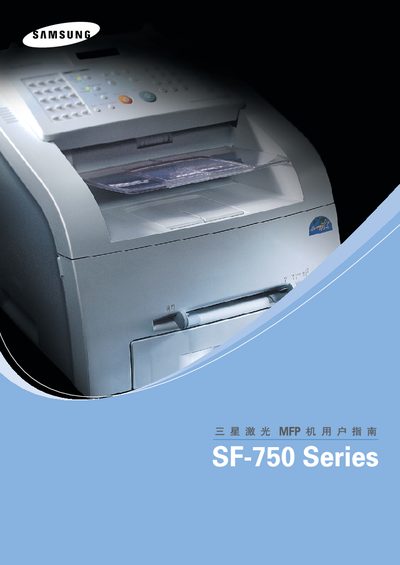
Samsung SF-750 Series User Manual
This manual covers the Samsung SF-750 series printer, including contact information for Samsung customer care, supported operating systems, and configuration tools. It lists worldwide phone numbers and web sites for assistance.
The document also details compatibility with Windows (3.x, 9x, Me, 2000, NT 4.0, XP) and Linux, and provides guidance on using the MFP Configurator and other software features.
Samsung 750S specifications
| Supported GSM bands | GSM900, EGSM900, DCS1800, PCS1900 |
|---|---|
| Uplink frequency range | 890~915 MHz (GSM900), 880~915 MHz (EGSM900), 1710~1785 MHz (DCS1800), 1850~1910 MHz (PCS1900) |
| Downlink frequency range | 935~960 MHz (GSM900), 925~960 MHz (EGSM900), 1805~1880 MHz (DCS1800), 1930~1990 MHz (PCS1900) |
| Modulation | 0.3 GMSK |
| TX power class | 33 dBm ~ 5 dBm |
| Receiver sensitivity | -102 dBm |
| Processor | Intel® PXA270 |
| SDRAM capacity | 4 MByte |
| Backup battery model | ML1220‑TT2 |
Source: Samsung SGH-i750 Service Manual
All Samsung 750S documents by type
Day-to-day operation, settings and troubleshooting. Start here if the product is already set up.
Disassembly, diagnostics and part numbers, for repair.
Questions answered in these manuals
How can I contact Samsung customer care for the SF-750 series printer?
You can call the regional Samsung support numbers listed in the manual or visit the local Samsung website for your country.
Is there a Linux driver for the SF-750 series printer?
Yes, the manual includes a section titled "Linux" indicating Linux support.
How should the monitor be cleaned?
Use a soft cloth with a diluted mild detergent (about 1:10), avoid spraying cleaning agents directly on the screen, and never use water or alcohol‑based solutions.
From: Samsung SyncMaster 753s/753v/753DFX/753DF/750S/743DF User Manual
What actions can cause fire hazards with the monitor?
Do not place water, chemicals, or metal objects on the monitor, avoid heavy items, and never use damaged or loose cables.
From: Samsung SyncMaster 753s/753v/753DFX/753DF/750S/743DF User Manual
What GSM frequency bands does the SGH-i750 support?
It supports GSM900, EGSM900, DCS1800 and PCS1900 bands.
How many low‑dropout regulators are used in the SGH-i750 power supply?
Eight low‑dropout regulators are used for GSM applications.