
Key facts
- Brand
- Samsung
- Model
- 5 Series
- Category
- Other Electronics
- Documents
- 8
- Languages
- EN · ZH
- Last added
- 2026-09-28
Start here
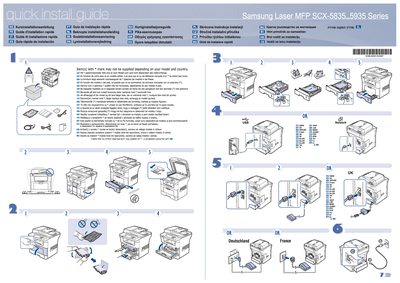
Samsung SCX-5835/5935 Series Laser MFP Quick Installation Guide
The guide offers concise, multilingual instructions for installing the Samsung SCX-5835/5935 Series laser MFP. It lists optional items that may not be supplied depending on the model and country, marked with an asterisk (*).
For network connectivity, users are directed to the Network setup section in the full User's Guide. Safety guidelines are also highlighted, advising users to read the safety instructions in the User's Guide on the supplied CD‑ROM before operating the printer.
Samsung 5 Series specifications
| Supported paper weight (tray) | 16~24 lbs (60~90 g/m2) bond |
|---|---|
| Supported paper weight (manual tray) | 16~43 lbs (60~165 g/m2) bond |
| Laser classification | Class I laser product |
All Samsung 5 Series documents by type
Day-to-day operation, settings and troubleshooting. Start here if the product is already set up.
The shortest path to a working setup, usually only a few pages.
Disassembly, diagnostics and part numbers, for repair.
Questions answered in these manuals
How do I clear a paper jam?
When a jam occurs, the On Line/Error LED lights red; locate the jammed paper and remove it, checking both the paper exit and feed areas.
How can I print multiple pages on one sheet from a Mac?
Select Print, choose Layout, set the desired number of pages per sheet, choose the layout direction and optional border, then click Print.
How do I turn the phone on or off?
Use the power key as described in the "Switching the Phone On or Off" section.
How can I store a number in the SIM memory?
Select "Storing a Number in the SIM Memory" from the phonebook menu to save contacts to the SIM card.
Is the SGH-a885 liquid resistant?
No, the phone is not liquid resistant; keep it dry.
Can I use the phone while driving?
Do not use a hand‑held phone while driving; park the vehicle first.