
Key facts
- Brand
- Samsung
- Model
- LA22B450
- Documents
- 2
- Languages
- EN
- Last added
- 2012-03-28
Start here
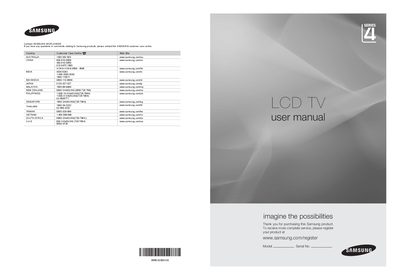
Samsung LA22B450 LCD TV User Manual
This manual guides you through the basic operation of the Samsung LA22B450 LCD TV, including how to use the control panel, remote control, and connection ports. It also covers safety precautions such as avoiding prolonged still images to prevent screen burn.
Installation instructions, accessory lists, and detailed specifications are provided, along with troubleshooting tips and information on HDMI, component, and AV connections.
Samsung LA22B450 specifications
| Screen Size | 22 inch (diagonal) |
|---|---|
| PC Resolution | 1360 x 768 @ 60Hz |
| Sound Output | 3W x 2 |
| Dimensions (without stand) | 558 x 81 x 384 mm |
| Dimensions (with stand) | 558 x 172 x 423 mm |
| Weight (with stand) | 4 kg |
| Storage Temperature | -20°C to 45°C (-4°F to 113°F) |
| Storage Humidity | 5% to 95% (non‑condensing) |
| Stand Swivel | 0° (left/right) |
All Samsung LA22B450 documents by type
Day-to-day operation, settings and troubleshooting. Start here if the product is already set up.
Disassembly, diagnostics and part numbers, for repair.
Questions answered in these manuals
What is the maximum distance for using the remote control?
The remote control can be used up to about 23 feet from the TV.
Do I need a separate audio cable when connecting HDMI devices?
No additional audio connection is needed for an HDMI‑to‑HDMI connection.
What is the model of the LCD panel used in this TV?
The TV uses a TFT‑LCD panel with the model number V216B1‑L01.
From: samsung LA22B450C4HXXZ LA22B450C4HXZK LCD - Television repair manual
How much power does the TV consume during normal operation?
The TV consumes less than 60 W in normal operation and less than 1 W in standby mode.
From: samsung LA22B450C4HXXZ LA22B450C4HXZK LCD - Television repair manual