
Key facts
- Brand
- Samsung
- Model
- SF-560
- Category
- All-in-one printer
- Industry
- Computers
- Documents
- 3
- Languages
- EN · ZH
- Last added
- 2012-03-28
Start here
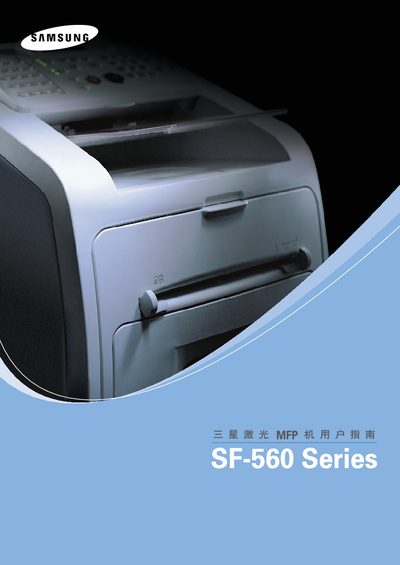
Samsung SF-560 Series Laser MFP User Manual
This manual covers the installation, configuration, and daily operation of the Samsung SF-560 Series laser MFP. It includes details on supported interfaces, software drivers, and basic printing functions.
The document also lists Samsung's worldwide customer‑care contact numbers and the operating systems that are compatible with the device, such as Windows XP and Windows 2000.
Samsung SF-560 specifications
| Power supply (input voltage) | 100 ~ 127 V AC, 50/60 Hz, 4.0A / 220 ~ 240 V AC, 50/60 Hz, 2.5A |
|---|---|
| Power consumption | 10 W (100 V) / 12 W (220 V) |
| Dimensions (W × D × H) | 363 mm × 398.5 mm × 308.3 mm |
| Paper weight range | 75 g/m² (20 lb) – 250 g/m² |
All Samsung SF-560 documents by type
Day-to-day operation, settings and troubleshooting. Start here if the product is already set up.
Questions answered in these manuals
How can I contact Samsung customer support?
You can call Samsung’s worldwide support lines, for example 1‑800‑SAMSUNG (726‑7864) in the USA or use the local numbers listed for each country.
What safety precautions should be taken when using the SF-560 printer?
The manual lists important safety measures such as avoiding exposure to laser radiation, not placing foreign objects in the scanner, and ensuring proper grounding of the device.
What are the power requirements for the SF-560 printer?
The printer can operate on 100‑127 V AC at 4 A or 220‑240 V AC at 2.5 A, with a power consumption of 10 W at 100 V and 12 W at 220 V.
Where can I get support for the Samsung SF-560 Series printer?
You can contact Samsung worldwide through the customer care centers listed in the manual.
Which operating systems are supported by the Samsung SF-560 Series printer?
The printer supports Windows 2000, Windows XP, Windows Vista, and Linux.