
Key facts
- Brand
- Samsung
- Model
- SCX-4520
- Category
- All-in-one printer
- Industry
- Computers
- Documents
- 2
- Languages
- EN · ZH
- Last added
- 2012-03-28
Start here
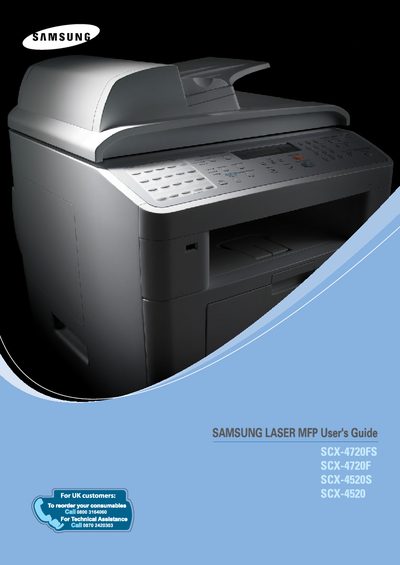
samsung SCX-4720FS/-4720F/-4520S/-4520 LASER MFP user manual
This guide covers everything you need to set up and use the Samsung SCX-4720F/FS laser multi‑function printer, including installing software, connecting the device, and configuring basic settings such as language, date, and paper size.
It also details advanced features like Samsung SmarThru scanning, fax options, copy functions, and routine maintenance, plus troubleshooting tips and contact information for Samsung support.
Samsung SCX-4520 specifications
| Main Functions | Copy, Print, Scan, Automatic Document Feeder |
|---|---|
| Net Weight (incl. toner) | 15.6 kg |
| Maximum Print Speed | 22 ppm (Letter), 20 ppm (A4) |
Source: samsung SCX-4720F/4520 series digital laser multi-function all-in-one repair manual
All Samsung SCX-4520 documents by type
Disassembly, diagnostics and part numbers, for repair.
Day-to-day operation, settings and troubleshooting. Start here if the product is already set up.
Questions answered in these manuals
How can I scan documents to a USB flash drive?
Insert a USB flash drive into the machine and use the scanning function to save scanned images directly to the drive.
From: samsung SCX-4720FS/-4720F/-4520S/-4520 LASER MFP user manual
How do I set the Machine ID on the SCX-4720F/FS?
In Chapter 2, follow the “Setting the Machine ID (SCX-4720F/FS Only)” instructions to enter the ID.
From: samsung SCX-4720FS/-4720F/-4520S/-4520 LASER MFP user manual
What safety precautions must be observed before repairing the SCX‑4720F?
Only qualified service engineers should service the unit, because it contains high voltage and laser components that are hazardous.
From: samsung SCX-4720F/4520 series digital laser multi-function all-in-one repair manual
How can a spooling (print queue) error be resolved?
Free up disk space by deleting unnecessary files, remove any *.jnl files left from failed jobs, then restart Windows and the printer.
From: samsung SCX-4720F/4520 series digital laser multi-function all-in-one repair manual