
Key facts
- Brand
- Samsung
- Model
- SCH-I909
- Documents
- 2
- Languages
- ZH
- Last added
- 2012-02-27
Start here
Samsung SCH-i909 Phone User Manual
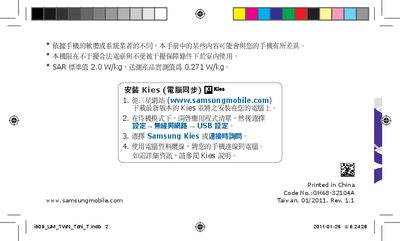
This manual guides users through installing Samsung Kies, configuring USB settings, and connecting the phone to a computer. It also outlines safety precautions, SAR limits, and legal notices for proper and safe use of the device.
The guide describes the phone’s menus, core applications such as Google Mail, YouTube, FM radio, and audio playback, and provides technical specifications like battery capacity and network power output. It includes copyright information and trademark acknowledgments for Samsung and third‑party technologies used in the phone. This manual is written in Chinese.
Samsung SCH-I909 specifications
| Battery capacity | 3.7 V / 1500 mAh |
|---|---|
| SAR limit (standard) | 2.0 W/kg |
| SAR measured value | 0.271 W/kg |
| CDMA 800 MHz output power | 0.25 W |
| GSM 900 MHz output power | 2 W |
| GSM 1800/1900 MHz output power | 1 W |
All Samsung SCH-I909 documents by type
Day-to-day operation, settings and troubleshooting. Start here if the product is already set up.
Questions answered in these manuals
How do I install Samsung Kies on my computer?
Download the latest version of Kies from www.samsungmobile.com, install it on your PC, then connect the phone in standby mode and select the USB option in the Kies program.
What is the battery capacity of the SCH‑i909?
The phone uses a 3.7 V, 1500 mAh battery.
How do I install a SIM or UIM card?
Insert the SIM or UIM card with the gold contacts facing down into the appropriate slot; the phone has two slots for dual‑card use.
How can I connect the phone to a PC using Kies?
Download the latest version of Samsung Kies from the Samsung website, install it on your computer, then connect the phone with a USB data cable and follow the on‑screen prompts.