
Key facts
- Brand
- Philips
- Model
- SA1945
- Category
- MP3 Player
- Industry
- Electronics
- Documents
- 8
- Languages
- EN · ZH
- Last added
- 2012-03-27
Start here
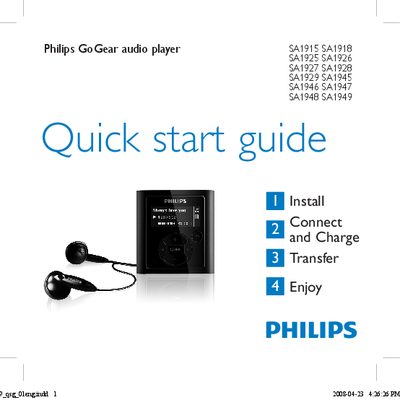
Philips GoGear SA1915 SA1918 SA1925 SA1926 SA1927 SA1928 SA1929 SA1945 SA1946 SA1947 SA1948 SA1949 Quick Start Guide
This Quick Start Guide provides concise instructions for getting started with Philips GoGear portable audio players. It covers installation, connecting to a PC, charging, transferring music, and basic playback functions.
Key sections include installing the supplied CD, connecting and charging via the mini‑USB port, transferring files using Windows Explorer, navigating the menu, using FM radio (where available), and recording audio. The guide also points users to the full user manual and online support resources.
Philips SA1945 specifications
| Full charge time | 4 hours |
|---|---|
| Minimum initial charge time | 5 hours |
| Battery level indicators | Full, Two‑thirds full, Half, Low, Empty |
All Philips SA1945 documents by type
Day-to-day operation, settings and troubleshooting. Start here if the product is already set up.
- Philips GoGear SA1915 SA1916 SA1918 SA1922 SA1924 SA1925 SA1926 SA1927 SA1928 SA1929 SA1942 SA1945 SA1946 SA1947 SA1948 SA1949 Music player user guide 15 p
- PHILIPS SA1915 SA1916 SA1917 SA1918 SA1919 SA1925 SA1926 SA1927 SA1928 SA1929 SA1945 SA1946 SA1947 SA1948 SA1949 MDigital Music player Manual
- PHILIPS SA1915 SA1916 SA1917 SA1918 SA1919 SA1925 SA1926 SA1927 SA1928 SA1929 SA1945 SA1946 SA1947 SA1948 SA1949Manual 23 p
- Philips SA1915 SA1916 SA1917 SA1918 SA1919 SA1925 SA1926 SA1927 SA1928 SA1929 SA1945 SA1946 SA1947 SA1948 SA1949 Digital 23 p
- PHILIPS SA1915 SA1916 SA1917 SA1918 SA1919 SA1925 SA1926 SA1927 SA1928 SA1929 SA1945 SA1946 SA1947 SA1948 SA1922 SA1924 SA1942 SA1982 user manual
- PHILIPS SA1915 SA1916 SA1917 SA1918 SA1919 SA1925 SA1926 SA1927 SA1928 SA1929 SA1945 SA1946 SA1947 SA1948 SA194 SA1922 SA1942 user manual 26 p
The shortest path to a working setup, usually only a few pages.
Questions answered in these manuals
How do I turn the player on and off?
Press the z/2 button until the Philips logo appears to turn on; press and hold the same button until ‘bye’ appears to turn off.
How do I connect the player to a PC and charge it?
Connect the supplied USB cable to the mini‑USB port on the player and the other end to the PC; the player will begin charging automatically.
What operating systems are supported?
Windows 2000, Windows XP, and Windows Vista are supported.
How do I repair the player?
Use Philips Device Manager to select the player and click Repair.
Which operating systems are supported by the GoGear devices?
The devices work with Windows 2000, Windows XP, and Windows Vista.
How do I install the Philips Device Manager?
Insert the CD, run the installer, and follow the on‑screen prompts to complete the installation.