
Key facts
- Brand
- Olympus
- Model
- TG-810 / TG-805
- Category
- Digital cameras
- Industry
- Electronics
- Documents
- 4
- Languages
- ZH · EN
- Last added
- 2026-11-17
Start here
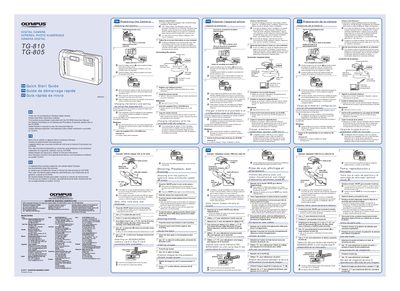
Olympus TG-810/TG-805 Digital Camera Quick Start Guide
This document serves as a Quick Start Guide for the Olympus TG-810 and TG-805 digital cameras. It directs users to the CD-ROM Instruction Manual for detailed feature information and warranty provisions, while providing essential steps for initial setup in English, French, and Spanish.
The guide covers preparing the camera by inserting the battery correctly, connecting the device to a computer via USB cable or the included USB-AC adapter (F-2AC) to charge the battery, and performing user registration. It specifies system requirements, recommending Windows XP, Vista, or 7 for software installation.
Olympus TG-810 / TG-805 specifications
| Included lithium-ion battery | LI-50B |
|---|---|
| Included USB cable | CB-USB8 |
| Included AV cable | CB-AV3 |
| Included USB-AC adapter | F-2AC |
| GPS | TG-810 only |
Source: Olympus TG-810/TG-805 Digital Camera Instruction Manual
All Olympus TG-810 / TG-805 documents by type
Day-to-day operation, settings and troubleshooting. Start here if the product is already set up.
The shortest path to a working setup, usually only a few pages.
Questions answered in these manuals
What is included in the box with the camera?
The camera comes with a wrist strap, lithium-ion battery LI-50B, USB cable CB-USB8, AV cable CB-AV3, USB-AC adapter F-2AC and the OLYMPUS Setup CD-ROM. Contents may differ depending on the region of purchase.
From: Olympus TG-810/TG-805 Digital Camera Instruction Manual
How do I open the setup menu?
Press the m button and the setup menu appears; use the arrow pad to select pages and submenus, then press m again to finish.
From: Olympus TG-810/TG-805 Digital Camera Instruction Manual
What is the purpose of the joystick on the camera?
The joystick is used to select image selections and settings, as well as to operate AF Mode Face/iESP.
From: Olympus TG-810/TG-805 Digital Camera Instruction Manual
How do you access the function menu?
You press the button during shooting to display the function menu, which allows you to choose the shooting mode.
From: Olympus TG-810/TG-805 Digital Camera Instruction Manual
What is the difference between TG-810 and TG-805?
The manual notes that screen illustrations may differ from the actual product unless otherwise specified, with explanations provided for the TG-810.
From: Olympus TG-810/TG-805 Digital Camera Instruction Manual
What accessories are included in the box?
The package includes a digital camera strap, lithium battery (CB-USB8), AV cable, USB-AC adapter (F-2AC), and setup CD-ROM.
From: Olympus TG-810/TG-805 Digital Camera Instruction Manual