
Key facts
- Brand
- Olympus
- Model
- P-S100
- Category
- Digital cameras
- Industry
- Electronics
- Documents
- 2
- Languages
- EN
- Last added
- 2012-06-08
Start here
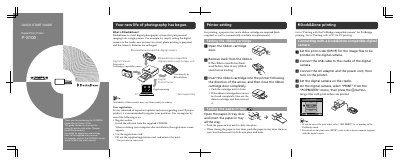
Olympus P-S100 Digital Photo Printer Quick Start Guide
The Olympus P-S100 is a digital photo printer designed to work within the Dock&Done total digital photography system. This Quick Start Guide provides initial setup instructions for the ribbon cartridge and paper-in tray, as well as basic operation procedures.
The document details how to connect and print using compatible Olympus Dock&Done cameras via USB cradle or storage unit connections. It also explains how to use PictBridge-compatible cameras directly with the printer.
All Olympus P-S100 documents by type
Day-to-day operation, settings and troubleshooting. Start here if the product is already set up.
The shortest path to a working setup, usually only a few pages.
Questions answered in these manuals
What is required for printing?
A paper-in tray and a ribbon cartridge are required for printing.
From: Olympus P-S100 Digital Photo Printer Quick Start Guide
How do I connect the printer to a PC?
Connect your PC to the printer using a commercially available USB cable (A-B type, less than 3 m).
From: Olympus P-S100 Digital Photo Printer Quick Start Guide
What is the capacity of the included paper-in tray?
The paper-in tray comes with 50 sheets of paper already inside.
What is the maximum number of sheets that can be printed continuously from one paper-in tray?
You can print up to a maximum of 50 sheets from one paper-in tray.