
Key facts
- Brand
- Olympus
- Model
- MR-F20
- Industry
- Electronics
- Documents
- 2
- Languages
- EN
- Last added
- 2012-07-03
Start here
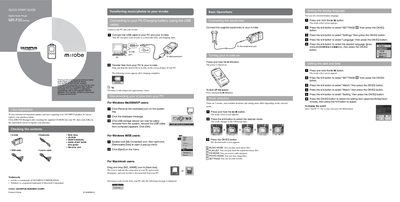
OLYMPUS MR-F20 Series Digital Audio Player Quick Start Guide
This document is a Quick Start Guide for the OLYMPUS m:robe MR-F20 Series Digital Audio Player. It outlines initial steps such as registering the product online and checking included contents like earphones, neck straps, cables, and software.
The guide details basic operations including turning the device on and off, selecting modes (Music, Photo, FM Radio), setting display language and time, and connecting to a PC for charging or file transfer. It also explains how to play music files, record audio from microphones or line-in sources, view photos, and listen to FM radio.
Olympus MR-F20 specifications
| Built-in Flash Memory | 256 MB/512 MB/1 GB |
|---|---|
| Supported Audio Formats | MP3, WMA, OGG |
| Supported Image Format | JPEG |
| Display Type | Organic EL |
| Sound Technology | SRS function |
Source: Olympus MR-F20 Series Digital Audio Player User Manual
All Olympus MR-F20 documents by type
Day-to-day operation, settings and troubleshooting. Start here if the product is already set up.
The shortest path to a working setup, usually only a few pages.
Questions answered in these manuals
What audio formats can the player play?
The player supports MP3, WMA, and OGG files.
From: Olympus MR-F20 Series Digital Audio Player User Manual
Can I record music from the FM radio?
Yes, the device allows you to listen to and record FM radio programs.
From: Olympus MR-F20 Series Digital Audio Player User Manual
How long does it take to fully charge the battery?
The battery is fully charged after approximately 3 hours.
From: OLYMPUS MR-F20 Series Digital Audio Player Quick Start Guide
What happens when you connect the USB cable to your PC and m:robe?
Your PC recognizes your m:robe as a removable disk, and charging starts.
From: OLYMPUS MR-F20 Series Digital Audio Player Quick Start Guide