
Key facts
- Brand
- Olympus
- Model
- STYLUS TOUGH-6020
- Category
- Digital cameras
- Documents
- 2
- Languages
- ES · EN
- Last added
- 2023-11-03
Start here
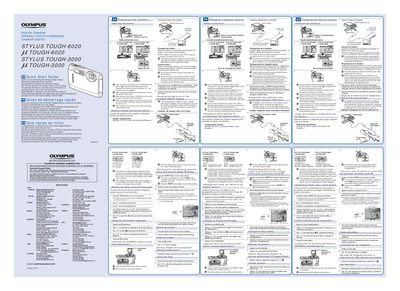
Olympus STYLUS TOUGH-6020/TOUGH-3000 Digital Camera Quick Start Guide
This document is a multilingual Quick Start Guide (English, French, Spanish) for the Olympus STYLUS TOUGH-6020 and STYLUS TOUGH-3000 digital cameras. It provides essential instructions for preparing the camera before first use.
The guide details how to insert and remove the battery safely, noting that damaged batteries may overheat or explode. It explains the procedure for charging the battery by connecting the camera to a computer via USB or using the included AC adapter (F-2AC). Additionally, it outlines the initial setup steps required when connecting the camera to a PC, including running the 'OLYMPUS Camera Initialization' software and setting date/time.
OLYMPUS STYLUS TOUGH-6020 specifications
| USB AC Adapter F-2AC power input | AC 100 to 240 V (50/60 Hz) |
|---|---|
| USB AC Adapter F-2AC output | DC 5V, 500 mA |
| USB AC Adapter F-2AC dimensions | 50.0 mm x 54.0 mm x 22.0 mm |
Source: Olympus STYLUS TOUGH-8010, TOUGH-6020 and TOUGH-3000 Digital Camera User Manual
All OLYMPUS STYLUS TOUGH-6020 documents by type
Day-to-day operation, settings and troubleshooting. Start here if the product is already set up.
The shortest path to a working setup, usually only a few pages.
Questions answered in these manuals
How do I open the function menu?
Press the MENU button to display the function menu.
From: Olympus STYLUS TOUGH-8010, TOUGH-6020 and TOUGH-3000 Digital Camera User Manual
How can I access frequently used functions?
Frequently used functions can be accessed using the direct buttons.
From: Olympus STYLUS TOUGH-8010, TOUGH-6020 and TOUGH-3000 Digital Camera User Manual
What software is required to view the instruction manual?
Adobe Reader is required to view the Instruction Manual.
From: Olympus STYLUS TOUGH-6020/TOUGH-3000 Digital Camera Quick Start Guide
How do I insert the battery correctly?
Insert the battery by putting in the ¥ marked side first, with the @ marks toward the battery lock knob.
From: Olympus STYLUS TOUGH-6020/TOUGH-3000 Digital Camera Quick Start Guide