
Key facts
- Brand
- Olympus
- Model
- MAUSB-10
- Category
- Other Computer Accessories
- Documents
- 3
- Languages
- EN
- Last added
- 2012-06-08
Start here
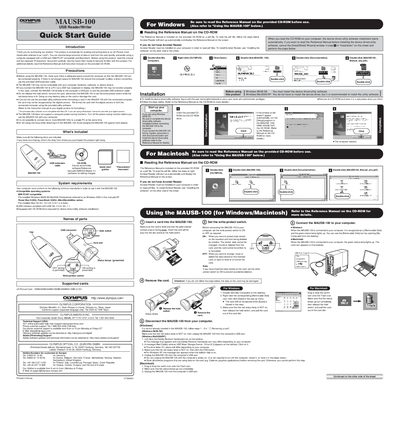
Olympus MAUSB-100 USB Reader/Writer Quick Start Guide
This document is a Quick Start Guide for the Olympus MAUSB-100 USB Reader/Writer. It provides instructions for installing the device driver and utility software on Windows and Macintosh systems, along with steps to read the full Reference Manual included on the CD-ROM. The guide emphasizes safety precautions, such as ensuring adequate space for connection and avoiding data loss during card removal.
Read onlineOlympus MAUSB-10 specifications
| Interface | USB Ver. 1.1 compatible |
|---|---|
| Supported SmartMedia Capacity | 4MB/8MB/16MB/32MB/64MB/128MB (3.3V) |
| Supported xD-Picture Card Capacity | 16MB/32MB/64MB/128MB (3.3V) |
All Olympus MAUSB-10 documents by type
Day-to-day operation, settings and troubleshooting. Start here if the product is already set up.
The shortest path to a working setup, usually only a few pages.
Questions answered in these manuals
Do I need a separate power supply for this device?
No, the device is powered by the connected computer through its USB port.
What operating systems are compatible with the MAUSB-10?
The device supports IBM PC/AT compatible computers with pre-installed Windows 98/98 SE/Me/2000 Professional or XP, and Power Macintosh G3/G4, Power Book G3/G4, iMac/iBook series with pre-installed Mac OS 8.6 - 9.2/X (v10.1.2 - v10.2.1).
Do I need to install a driver for the MAUSB-100?
No, the MAUSB-100 supports the USB Mass Storage Class, so the card is recognized as a Removable Disk without installing a driver on computers that support USB 2.0.
Can I connect multiple MAUSB-100 devices to one PC?
No, it is not possible to connect two or more MAUSB-100s to a single PC at the same time.
Do I need to install the device driver for Windows Me/2000/XP?
No, you do not have to install the device driver, but it is recommended to install the utility software.
Is the provided utility software compatible with Mac OS?
No, the provided utility software is not compatible with Mac OS.