
Key facts
- Brand
- Olympus
- Model
- D-510ZOOM
- Category
- Digital cameras
- Documents
- 2
- Languages
- EN
- Last added
- 2012-06-08
Start here
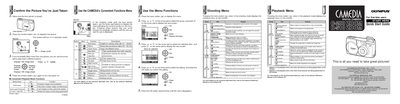
Olympus C-200 ZOOM/D-510 ZOOM Digital Camera Quick Start Guide
This document serves as a Quick Start Guide for the Olympus C-200 ZOOM and D-510 ZOOM digital cameras. It provides essential instructions for first-time users to set up their camera, including attaching the strap, inserting batteries and SmartMedia cards, and operating the lens barrier.
Read onlineAll Olympus D-510ZOOM documents by type
The shortest path to a working setup, usually only a few pages.
Day-to-day operation, settings and troubleshooting. Start here if the product is already set up.
Questions answered in these manuals
How do I confirm a picture just taken?
Press the monitor button to playback the picture; the camera will turn on in playback mode.
From: Olympus C-200 ZOOM/D-510 ZOOM Digital Camera Quick Start Guide
How do I delete an image during playback?
Press and hold the arrow pad for over 1 second while playing back an image.
From: Olympus C-200 ZOOM/D-510 ZOOM Digital Camera Quick Start Guide
What is the recommended procedure before taking important pictures?
You should spend time taking test shots and experimenting with all features first.
From: Olympus C-200ZOOM/D-510ZOOM Digital Camera Basic Manual
Where can I find more details on the functions described in this manual?
Refer to the instructions on the software CD-ROM for full details.
From: Olympus C-200ZOOM/D-510ZOOM Digital Camera Basic Manual