
Key facts
- Brand
- Olympus
- Model
- E-M1
- Category
- Digital cameras
- Documents
- 3
- Languages
- EN
- Last added
- 2026-10-23
Start here
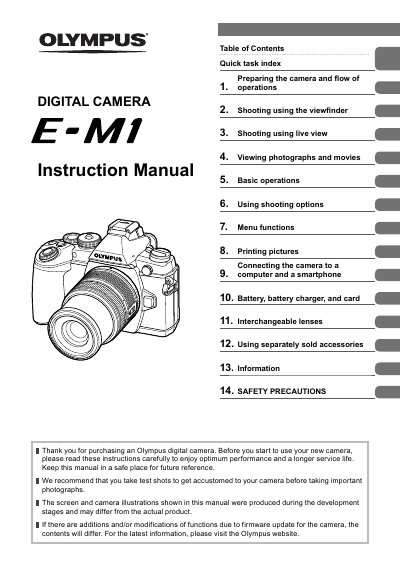
Olympus E-M1 Digital Camera Instruction Manual
This is the instruction manual for the Olympus E-M1 digital camera. It opens with a table of contents and a quick task index, then walks through preparing the camera and the flow of operations: unpacking the box, names of parts, charging and inserting the battery, inserting cards, attaching a lens and the supplied flash, powering on, setting the date/time and selecting a shooting method.
The manual continues with shooting using the viewfinder and live view, viewing photographs and movies, basic operations such as shooting modes (P, A, S, M) and exposure compensation, and shooting options including image stabilizer, picture mode, record mode and metering. Later sections cover menu functions, printing pictures (DPOF and PictBridge), connecting the camera to a computer and a smartphone, battery and card handling, interchangeable lenses, separately sold accessories, information such as shooting tips, error codes and cleaning, specifications, and safety precautions.
Olympus E-M1 specifications
| Maximum Frame Rate (with AF) | 9 frames per second |
|---|---|
| Silent Shooting Max Frame Rate | 11 pictures per second |
| Silent Shooting Shutter Speed Range | 1/8th to 1/16,000th |
| Silent Shooting ISO Range | Lo to 3200 |
| Focus Stacking Compatible Lenses | 60mm f/2.8 Macro, 12-40mm f/2.8 Pro, 40-150mm f/2.8 Pro |
All Olympus E-M1 documents by type
Day-to-day operation, settings and troubleshooting. Start here if the product is already set up.
Questions answered in these manuals
What is the maximum frame rate with autofocus in Firmware 4.0?
The maximum frame rate with autofocus is 9 frames per second, achieved by increasing the speed of the autofocus system.
What is the maximum frame rate in Silent Shooting mode?
In Silent Shooting mode, the maximum shooting speed is 11 pictures per second.
What should I do before using the camera?
Read and understand all instructions before using the equipment, and take test shots to get accustomed to the camera before taking important photographs.
Will this manual match my camera after a firmware update?
The contents may differ if functions have been added or modified by a firmware update; the manual points to the Olympus website for the latest information.
What does the ME-1 eyecup do?
It replaces the standard eyecup and makes it easier to confirm composition and focus by increasing magnification.
From: OLYMPUS EM-1 Manual
How do I install the ME-1?
Slide the mounted eyecup (EP-5/EP-6) in the direction of the arrow, then mount the Magnifier Eyecup (ME-1) in the same direction.
From: OLYMPUS EM-1 Manual