
Key facts
- Brand
- Olympus
- Model
- FE-46/X-42/X-41
- Industry
- Electronics
- Documents
- 4
- Languages
- EN
- Last added
- 2026-10-01
Start here
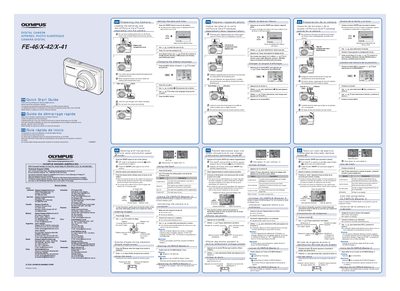
Olympus FE-46/X-42/X-41 Quick Start Guide
This document serves as a quick start guide for the Olympus FE-46, X-42, and X-41 digital cameras. It provides essential instructions in English, French, Spanish, and Portuguese on preparing the camera, including loading batteries and xD-Picture Cards or microSD adapters. The guide details how to set the date and time, change the display language, and turn the device on.
Read onlineOlympus FE-46/X-42/X-41 specifications
| Effective pixels | 11,860,000 pixels |
|---|---|
| Image sensor | 1/2.33" CCD |
| Lens focal length | 6.3 to 31.5 mm (f3.5 to f5.6) |
| Shutter speed range | 4 to 1/2000 sec |
| Monitor | 2.7" TFT LCD, 230,000 dots |
| Power supply | AA alkaline / NiMH batteries (two) |
| Dimensions | 98.0 mm × 61.6 mm × 27.8 mm |
| Weight | 128 g (excluding batteries and card) |
All Olympus FE-46/X-42/X-41 documents by type
Day-to-day operation, settings and troubleshooting. Start here if the product is already set up.
The shortest path to a working setup, usually only a few pages.
Questions answered in these manuals
How do I select the battery type for NiMH batteries?
Select [NiMH] for the [BATTERY TYPE] setting in the menu.
What shortcut can I use to quickly access frequently used shooting functions?
Use the FUNC menu to set frequently used shooting functions with fewer steps.
What is included in the box?
The package includes two AA batteries, the digital camera, an AV cable, a microSD adapter, and other accessories.
From: Olympus FE-46/X-42/X-41 Digital Camera Instruction Manual
How do I switch between shooting modes?
You can switch shooting modes by pressing the button labeled with a specific icon on the camera body.
From: Olympus FE-46/X-42/X-41 Digital Camera Instruction Manual
What is the optical zoom of this camera?
The camera features a 5x optical zoom.
How do I select P mode if it is not displayed?
Press the Wy button several times to select it.