
Key facts
- Brand
- Nikon
- Model
- N50
- Category
- Digital cameras
- Documents
- 2
- Languages
- EN
- Last added
- 2012-05-08
Start here
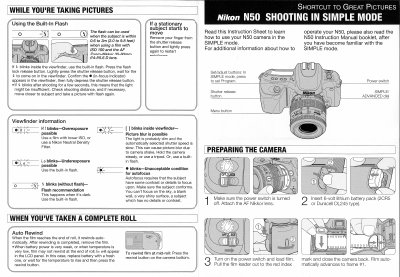
Nikon N50 Quick Start Guide – Shooting in Simple Mode
This instruction sheet explains how to operate the Nikon N50 in Simple mode, describing the layout of the power switch, SIMPLE/ADVANCED dial, program button, and other essential controls for quick shooting.
It also details battery installation, film loading and auto‑rewind, built‑in flash operation, exposure indicators, and tips for avoiding blur or under‑exposure when using the camera.
Nikon N50 specifications
| Battery | 6‑volt lithium battery pack (2CR5 or Duracell DL245) |
|---|---|
| Lens | Zoom‑Nikkor 35‑80mm f/4‑5.6 D autofocus |
| Flash effective distance | 0.6 to 3 m (2.0 to 9.8 ft) |
Source: Nikon N50 Quick Start Guide – Shooting in Simple Mode
All Nikon N50 documents by type
The shortest path to a working setup, usually only a few pages.
Day-to-day operation, settings and troubleshooting. Start here if the product is already set up.
Questions answered in these manuals
How do I set the Nikon N50 to Simple mode?
Press the SIMPLE/ADVANCED dial to SIMPLE and then press the Program button.
How do I use the built‑in flash in Simple mode?
Press the flash lock release button, then lightly press the shutter release; the flash will fire when the indicator appears in the viewfinder.
What power supply is required for the Super Coolscan 5000 ED?
The scanner requires a 100‑240 V AC power source at 50 or 60 Hz.
What is the maximum optical resolution of the scanner?
The device can scan at up to 4000 pixels per inch.