
Key facts
- Brand
- Nikon
- Model
- D500
- Industry
- Electronics
- Documents
- 4
- Languages
- ZH
- Last added
- 2026-10-08
Start here
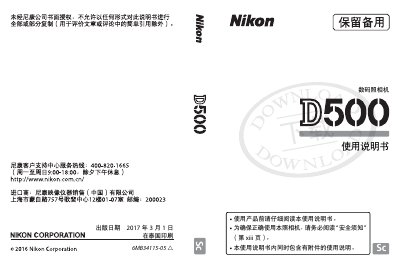
Nikon D500 Digital Camera User Manual
This manual covers everything you need to know to operate the Nikon D500 digital camera, from safety precautions and unpacking to detailed menu navigation and shooting techniques. It also explains how to use Nikon’s SnapBridge service to transfer images wirelessly to compatible smart devices.
The guide includes sections on focusing, exposure control, video recording, battery management, and troubleshooting, with references to downloadable software such as ViewNX‑i and Capture One for image editing and management. This manual is written in Chinese.
Nikon D500 specifications
| Effective Pixels | 20.88 MP |
|---|---|
| Sensor Type | CMOS |
| Lens Mount | Nikon F‑mount (with AF coupling) |
| Maximum Image Size (DX) | 5568 × 3712 pixels |
| Battery Model | EN‑EL15 lithium‑ion |
All Nikon D500 documents by type
Day-to-day operation, settings and troubleshooting. Start here if the product is already set up.
Questions answered in these manuals
What wireless connectivity does the D500 support?
The D500 supports Bluetooth Low Energy and Wi‑Fi for SnapBridge, allowing automatic image transfer to compatible smart devices.
How can I view the manual on a mobile device?
Download and install Nikon Manual Viewer 2 from the App Store or Google Play to read the manual on a smartphone or tablet.
Which battery does the Nikon D500 use?
The D500 uses the EN‑EL15 lithium‑ion battery pack.
What is the model name of the Nikon digital camera described in this manual?
The model name for this camera is N1501.