
Key facts
- Brand
- Nikon
- Model
- COOLPIX P4
- Category
- Digital cameras
- Documents
- 4
- Languages
- EN · JA
- Last added
- 2012-05-09
Start here
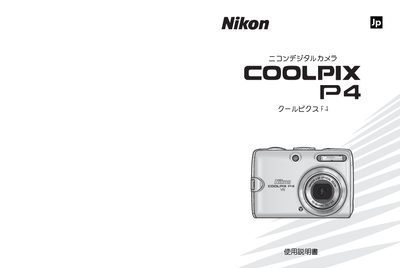
Nikon COOLPIX P4 User Manual
This manual explains how to safely use the Nikon COOLPIX P4 digital camera, covering everything from battery charging and SD‑card insertion to basic shooting and playback functions. It also includes details on connecting the camera to a TV, computer, or printer.
The guide is organized into sections such as safety precautions, menu navigation, shooting modes, image review, video recording, and troubleshooting, helping users get the most out of their camera quickly and confidently. This manual is written in Japanese.
Nikon COOLPIX P4 specifications
| Effective pixels | 8.1 million |
|---|---|
| Image sensor | 1/1.8 in. high‑density CCD |
| Lens | 3.5× Zoom‑Nikkor |
| Focal length | 7.5 – 26.3 mm |
| Maximum aperture | f/2.7 – f/5.3 |
| Vibration reduction | Yes |
| LCD monitor | 2.5 in., 150,000‑dot TFT |
| Internal memory | ≈ 23 MB |
| Supported memory cards | SD (Secure Digital) |
| Image file format | JPEG (baseline‑compliant) |
| Movie file format | QuickTime |
All Nikon COOLPIX P4 documents by type
Day-to-day operation, settings and troubleshooting. Start here if the product is already set up.
Questions answered in these manuals
How should the battery be handled safely?
Use only Nikon EN‑EL5 rechargeable lithium‑ion batteries, keep the battery dry, avoid shorting, do not expose it to fire, heat, or water, and remove it when fully discharged.
What are the dimensions and type of the LCD monitor?
The camera has a 2.5‑inch, 150,000‑dot amorphous‑silicon TFT transflective LCD with five brightness levels.
How can I set the display language and date/time?
Use the menu to select the language and adjust the date and time settings.
What type of memory card does the COOLPIX P4 use?
The COOLPIX P4 supports SD memory cards.