
Key facts
- Brand
- Nikon
- Model
- LS-30
- Category
- Digital cameras
- Industry
- Electronics
- Documents
- 2
- Languages
- EN
- Last added
- 2012-05-08
Start here
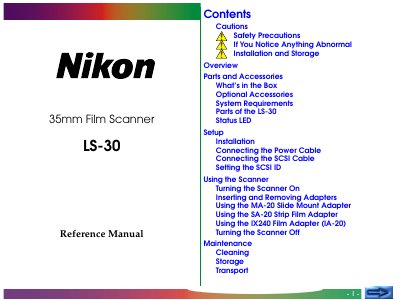
Nikon LS-30 Film Scanner Reference Manual
The LS-30 is a 35 mm film scanner that supports both slide and strip film formats. This reference manual covers all aspects of using the scanner, from safety precautions to detailed specifications.
Key sections include safety warnings, installation and storage guidelines, connection of power and SCSI cables, operation of various film adapters, routine maintenance, troubleshooting tips, and a full list of technical specifications.
Nikon LS-30 specifications
| Supported film type | 35 mm film (slides and strip film) |
|---|---|
| Scanning system | Fixed‑film, movable plane‑scanning single‑pass optical system |
| Image sensor | 2592 linear‑pixel CCD |
| Light source | Red, green, and blue (RGB) LEDs |
| Maximum optical resolution | 2700 dpi (2700 pixels/25.4 mm) at film surface |
| Pixel size | Rectilinear 11 µm pixels |
| Output format | Full color, 8 bits per color |
| Interface | SCSI‑2 compliant, half‑pitch 50‑pin connectors (x2) |
| Dimensions | 85.5 mm W × 275.0 mm D × 142.0 mm H |
| Weight | Approx. 2.4 kg (5 lb 5.7 oz) |
| Power supply | 100–240 VAC, 0.3–0.2 A, 50/60 Hz |
| Operating temperature | +10 °C to +35 °C (50 °F to 95 °F) |
| Humidity range | 20 % to 85 % (no condensation) |
All Nikon LS-30 documents by type
Day-to-day operation, settings and troubleshooting. Start here if the product is already set up.
Questions answered in these manuals
What safety precautions should be observed when using the LS‑30 scanner?
Do not insert fingers, hair, or clothing into the film slot, use a proper AC power supply, ground the outlet, and keep the scanner on a stable, horizontal surface.
How do I connect the LS‑30 to a computer?
Connect the supplied SCSI cable to the scanner and the computer, then set the appropriate SCSI ID before powering on the unit.
What operating systems are supported by the LS-30?
The scanner works with Mac OS System Software 7.1 or later, Windows 95 or later, and Windows NT 4.0 or later.