
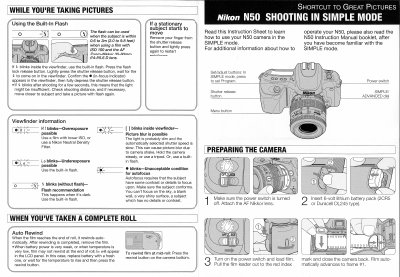
This instruction sheet explains how to operate the Nikon N50 in Simple mode, describing the layout of the power switch, SIMPLE/ADVANCED dial, program button, and other essential controls for quick shooting.
It also details battery installation, film loading and auto‑rewind, built‑in flash operation, exposure indicators, and tips for avoiding blur or under‑exposure when using the camera.
| Battery | 6‑volt lithium battery pack (2CR5 or Duracell DL245) |
|---|---|
| Lens | Zoom‑Nikkor 35‑80mm f/4‑5.6 D autofocus |
| Flash effective distance | 0.6 to 3 m (2.0 to 9.8 ft) |
Press the SIMPLE/ADVANCED dial to SIMPLE and then press the Program button.
Press the flash lock release button, then lightly press the shutter release; the flash will fire when the indicator appears in the viewfinder.
Turn on the power switch, load the film, pull the leader to the red index mark, close the back; the camera automatically advances to frame #1.