
Key facts
Start here
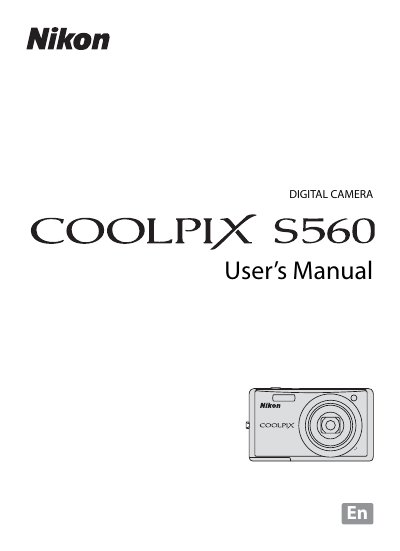
Nikon COOLPIX S560 User Manual
This manual introduces the Nikon COOLPIX S560, covering safety precautions, battery handling, and basic camera functions such as turning the camera on, selecting shooting modes, and using the zoom and flash. Detailed sections explain how to insert and remove batteries and memory cards, navigate menus, and customize settings.
Technical notes include specifications like effective pixel count, lens zoom range, ISO sensitivity, and supported storage media. The guide also offers troubleshooting tips, error messages, and regulatory notices for various regions.
Nikon COOLPIX S5 specifications
| Effective pixels | 10 million |
|---|---|
| Image sensor | 1/2.3‑in. CCD |
| Lens | 5× Zoom‑Nikkor |
| ISO sensitivity (standard) | 64‑2000, Auto |
| Shutter speed | 1/2000‑2 s, 4 s (fireworks) |
| Digital zoom | Up to 4× |
| Battery type | Rechargeable Li‑ion EN‑EL11 |
| Battery life (approx.) | 200 shots per charge |
| Dimensions (W×H×D) | 90 × 53.5 × 22 mm |
All Nikon COOLPIX S5 documents by type
Day-to-day operation, settings and troubleshooting. Start here if the product is already set up.
- Nikon COOLPIX S5 Digital Camera User Guide 106 p
- Nikon COOLPIX S550 Digital Camera User Manual 164 p
- Nikon COOLPIX S520 Digital Camera User Manual 154 p
- Nikon COOLPIX S50 User Manual 156 p
- Nikon COOLPIX S5 User Manual 106 p
- Nikon COOLPIX S510 User Manual 148 p
- Nikon COOLPIX S560 User Manual 172 p
- Nikon COOLPIX S500 User Manual 147 p
- Nikon COOLPIX S520 Digital Camera User Manual 154 p
- Nikon COOLPIX S50 User Manual 156 p
- Nikon COOLPIX S52/S52Cdigital camera user manual 147 p
Disassembly, diagnostics and part numbers, for repair.
Questions answered in these manuals
Where should new photos be stored when a memory card is inserted?
When a memory card is inserted, all new images will be saved to the memory card.
What type of batteries are required for this camera?
The camera requires rechargeable lithium-ion Nikon EN-EL8 batteries.
What type of battery does the COOLPIX S550 use?
It uses a rechargeable Li‑ion Battery EN‑EL11 supplied with the camera.
How many shots can the battery provide on a full charge?
The battery provides approximately 200 shots per full charge.
What type of memory cards are supported?
The camera supports Secure Digital (SD) memory cards.
How many shots can the battery provide per charge?
Approximately 180 shots can be taken on a fully charged EN‑EL10 battery.