
Key facts
- Brand
- Nikon
- Model
- D70
- Category
- Digital cameras
- Industry
- Electronics
- Documents
- 5
- Languages
- ZH · EN
- Last added
- 2026-10-25
Start here
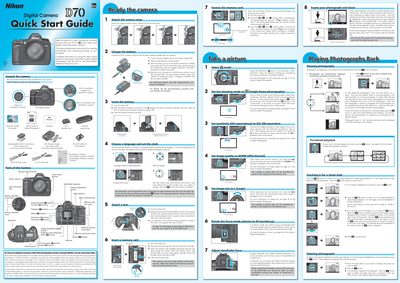
Nikon D70 Quick Start Guide
This guide walks you through unpacking the Nikon D70, attaching the strap, charging the EN‑EL3 Li‑ion battery with the MH‑18 quick charger, inserting the battery and memory card, and setting the language and clock. It also explains basic shooting operations such as selecting focus mode, ISO, image quality, and how to frame and capture photos.
The second part covers transferring images to a computer. It details installing the PictureProject software, supported operating systems (Windows XP/2000/98 SE/Me and Mac OS X), connecting the camera via USB, and using PictureProject to import, organize, edit, print or share your pictures.
Nikon D70 specifications
| Maximum JPEG image size | 3,008 × 2,000 |
|---|---|
| ISO range used in guide | 200‑1,600 |
| Exposure modes available | P, S, A, M |
| Power switch position label | ON |
All Nikon D70 documents by type
Day-to-day operation, settings and troubleshooting. Start here if the product is already set up.
The shortest path to a working setup, usually only a few pages.
Questions answered in these manuals
What is the minimum distance required between a flash and an infant's face?
When taking photos of infants, the flash must be at least one meter away from the subject.
How can I quickly get a feel for the Nikon D70?
Use the Quick Tour section to get the feel of your camera right away.
Which special lenses does the guide discuss?
It explores special lenses like macro, vibration reduction, and teleconverters.
Are there different models of D70 in different parts of the world?
No. A D70 sold in the United States is the same as the camera sold in Japan and Europe.
Is it safe to let the D70 and CompactFlash cards go through airport X‑ray machines?
Yes, the camera should normally be turned off before passing through X‑ray machines; the brief exposure does not affect the camera or cards.
How do I change the ISO setting on the D70/D70s?
Press the ISO button and turn the rear dial; the guide shows using ISO 200, 400, 800 or 1,600 depending on lighting.