
Key facts
- Brand
- Nikon
- Model
- Nikon 1 J1
- Category
- Digital cameras
- Industry
- Electronics
- Documents
- 2
- Languages
- ZH · EN
- Last added
- 2026-09-29
Start here
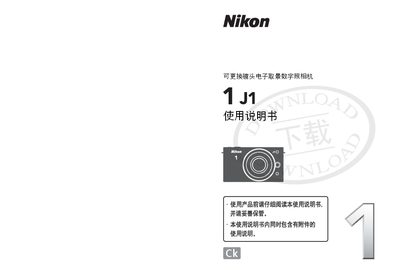
Nikon 1 J1 Interchangeable Lens Digital Camera User Manual
This manual explains how to operate the Nikon 1 J1 interchangeable‑lens digital camera. It introduces the four shooting modes—still image, smart photo selector, animation and dynamic snapshot—along with detailed menu settings and playback functions.
The guide also covers connection options such as HDMI output to a TV, USB transfer to a computer, and software installation for editing and creating short movies. Safety notices, troubleshooting tips, and technical specifications are provided at the end of the document. This manual is written in Chinese.
Nikon 1 J1 specifications
| Camera type | Interchangeable lens electronic viewfinder digital camera |
|---|---|
| Lens mount | Nikon 1 mount |
| Effective pixels | 10.15 MP |
| Image sensor | 13.2 mm × 8.8 mm CMOS |
Source: Nikon 1 J1 Interchangeable Lens Digital Camera User Manual
All Nikon 1 J1 documents by type
Day-to-day operation, settings and troubleshooting. Start here if the product is already set up.
Questions answered in these manuals
How do I select the dynamic snapshot mode?
Choose the dynamic snapshot mode (047) from the mode dial.
From: Nikon 1 J1 Interchangeable Lens Digital Camera User Manual
What lens mount does the Nikon 1 J1 use?
It uses the Nikon 1 mount for interchangeable lenses.
From: Nikon 1 J1 Interchangeable Lens Digital Camera User Manual
What battery does the Nikon 1 J1 use?
It uses a rechargeable Li‑ion EN‑EL20 battery.
How can the camera be connected to a TV?
Use an HDMI cable to connect the camera to an HDTV.