
Key facts
- Brand
- Nikon
- Model
- D200
- Category
- Digital cameras
- Industry
- Electronics
- Documents
- 6
- Languages
- EN · ES
- Last added
- 2026-10-01
Start here
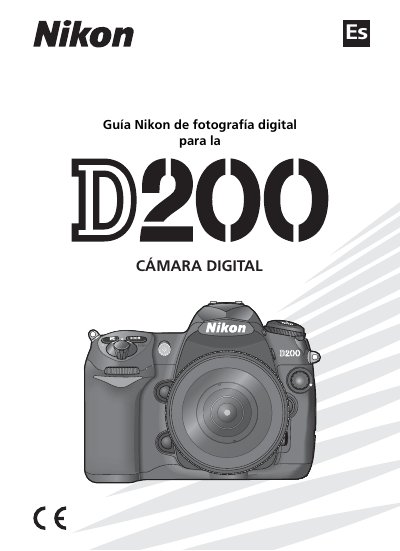
Nikon D200 Digital Camera User Guide
This manual serves as a complete guide for the Nikon D200 digital camera, arranged from basic to advanced topics. It covers the names of camera parts, basic settings, shooting and playback functions, advanced photography techniques, and troubleshooting. The guide is suitable for both beginners and advanced users who wish to understand the full functionality of the camera. This manual is written in Spanish.
Read onlineNikon D200 specifications
| Image sensor | 10.2 effective megapixel DX‑format CCD |
|---|---|
| Continuous shooting speed | 5 frames per second |
| Shutter speed range | 30 s to 1/8000 s |
| ISO sensitivity | ISO 100‑1600 (HI‑1 extensions available) |
| LCD monitor | 2.5‑inch high‑resolution LCD |
| Battery | EN‑EL3e rechargeable lithium‑ion battery |
| Body material | Magnesium alloy |
All Nikon D200 documents by type
Day-to-day operation, settings and troubleshooting. Start here if the product is already set up.
Disassembly, diagnostics and part numbers, for repair.
Questions answered in these manuals
What is the continuous shooting speed of the D200?
The D200 can shoot at up to 5 frames per second in continuous mode.
Which battery does the D200 use?
It uses the EN‑EL3e rechargeable lithium‑ion battery, providing about 1,800 shots per charge.
What is the maximum buffer capacity shown on the Nikon D200?
The camera shows a maximum buffer capacity of 25 frames at image qualities of JPEG Fine, JPEG Normal, and JPEG Basic.
From: Nikon D200 Buffer Capacity and Memory Card Capacity Guide
Is the actual buffer capacity always 25 frames?
No, although the camera shows a maximum of 25 frames, the actual capacity may be higher.
From: Nikon D200 Buffer Capacity and Memory Card Capacity Guide
What is the function of the Wireless Transmitter option?
It allows the camera to be controlled from a computer or to transmit photographs to a computer or printer on the same network when the WT-3 is attached.
Can image authentication information be added after a picture is taken?
No, image authentication information cannot be added after a picture is taken.