
Key facts
- Brand
- Nikon
- Model
- D70S
- Category
- Digital cameras
- Industry
- Electronics
- Documents
- 4
- Languages
- ZH · EN
- Last added
- 2026-10-01
Start here
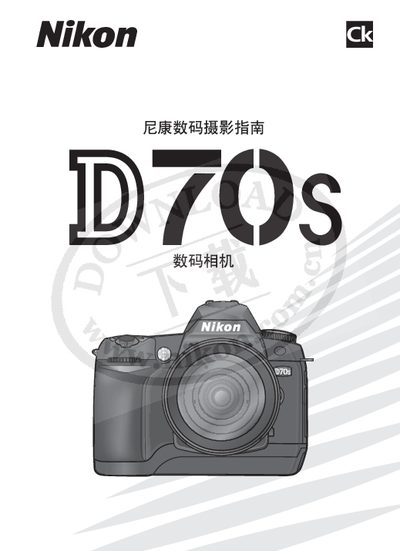
Nikon D70S User Manual
This manual guides users through unpacking, installing the battery and lens, configuring basic settings, and capturing photos with the Nikon D70S. It also covers playback, image quality adjustments, and advanced shooting modes.
Safety precautions, battery handling, low‑pass filter care, and connection to computers or printers are detailed, along with troubleshooting tips and legal notices. This manual is written in Chinese.
Nikon D70S specifications
| Medium image resolution | 2240 × 1488 pixels |
|---|---|
| Built‑in magnification | 1.5× |
| Recommended lens | 60 mm (equivalent to 90 mm on 35 mm format) |
| Flash model | SB‑29s ring flash |
Source: Nikon D70s Help Guide
All Nikon D70S documents by type
Day-to-day operation, settings and troubleshooting. Start here if the product is already set up.
Questions answered in these manuals
How should I clean the low‑pass filter if it becomes dirty?
Refer to the instructions on pages 194‑195 of the manual for cleaning the low‑pass filter.
From: Nikon D70S User Manual
Can I look at the sun through the viewfinder?
No, viewing the sun through the viewfinder can cause permanent eye damage.
From: Nikon D70S User Manual
How can I prevent foreign matter from entering the camera’s low‑pass filter?
Avoid exchanging lenses in dusty environments and always replace the body cap when no lens is attached.
From: Nikon D70S User Manual
How do I set the image size to Medium?
Open the Menu, go to the Shooting Menu, select “Image Size”, and choose the Medium setting.
From: Nikon D70s Help Guide
What aperture should I use for extraoral images?
Set the aperture to F11 when taking extraoral photographs.
From: Nikon D70s Help Guide
How do I change the ISO setting on the D70/D70s?
Press the ISO button and turn the rear dial; the guide shows using ISO 200, 400, 800 or 1,600 depending on lighting.