
This document provides information on the initial settings and recommendations for taking pictures with the Nikon D70s digital camera. Recommended camera accessories include the Nikon 60mm Micro Lens, Nikon SB-29s Ring Flash, and 128MB CompactFlash card.
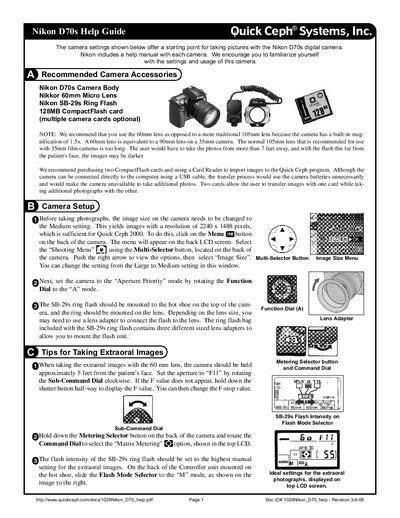
This guide explains how to configure the Nikon D70s for dental imaging. It walks you through selecting the Medium image size (2240 × 1488 pixels), setting the camera to Aperture Priority (A) mode, and using the SB‑29s ring flash with appropriate flash intensity settings.
It also provides specific tips for extraoral, intraoral, and X‑ray photography, including recommended distances, aperture values (F11 for extraoral, F22 for intraoral), and how to achieve accurate magnification when photographing radiographs.
| Medium image resolution | 2240 × 1488 pixels |
|---|---|
| Built‑in magnification | 1.5× |
| Recommended lens | 60 mm (equivalent to 90 mm on 35 mm format) |
| Flash model | SB‑29s ring flash |
Open the Menu, go to the Shooting Menu, select “Image Size”, and choose the Medium setting.
Set the aperture to F11 when taking extraoral photographs.
Hold the camera between 1 and 2 feet from the patient’s face.